
Building a membership website is more than just a technical project; it's about creating a valuable, sustainable community. The process kicks off long before you pick a platform or design a logo. It starts with a solid plan—defining your value, mapping out the member journey, and choosing the right tools for the job. Getting this foundation right is what separates a thriving community from a digital ghost town, turning your vision into a reality that your members will love.
Laying The Groundwork For A Thriving Membership Site
Before you even think about code or templates, the real work begins. This is the strategic blueprinting phase, and honestly, it's where most successful membership sites win the game. It’s all about figuring out your "why" and your "who." So many people jump straight into the tech, asking "Should I use WordPress or Kajabi?" But the first questions should be, "Who is my ideal member?" and "What specific, nagging problem am I solving for them?" Nailing these answers makes every other decision—from content to pricing—fall into place almost effortlessly.
Defining Your Core Value Proposition
Think of your value proposition as a simple promise. It’s the clear, compelling reason someone should hand over their credit card details every month. What are they really buying?
Let’s look at a few real-world examples to make this tangible:
- For a local nonprofit, membership might mean early access to event tickets and exclusive volunteer shifts. The value here is a sense of belonging and insider access.
- A wellness clinic could offer a private library of expert-led video workshops and a supportive members-only forum. This provides continuous value that extends far beyond a patient's appointment.
- A trade association can offer members access to proprietary industry reports, discounted certifications, and a private job board, all directly fueling their career growth.
In every case, the value is specific and solves a real need. Before getting tangled up in the tech, it’s critical to map out the strategy required to build a successful membership website.
Mapping Out Your Membership Tiers And Content
Once your value proposition is locked in, you can start structuring it. This is where you decide what people get at different price points. You don't need a complex, multi-level system from day one. In fact, it's often better to start with a single, high-value tier.
A common mistake is launching with three or four confusing tiers. My advice is to start simple. You can always add more options later, but simplifying an overly complex system after launch is a major headache. Focus on delivering incredible value in one or two clear packages.
This isn't just a niche idea anymore; the membership model has gone mainstream. New data shows that a staggering 56.7% of venues now offer memberships. More importantly, organizations using dedicated management systems are seeing an average annual membership growth of 8%. This shows that a well-executed membership site isn't just a feature—it's a powerful growth engine.
This decision tree gives you a good visual for that first big fork in the road: choosing your platform.
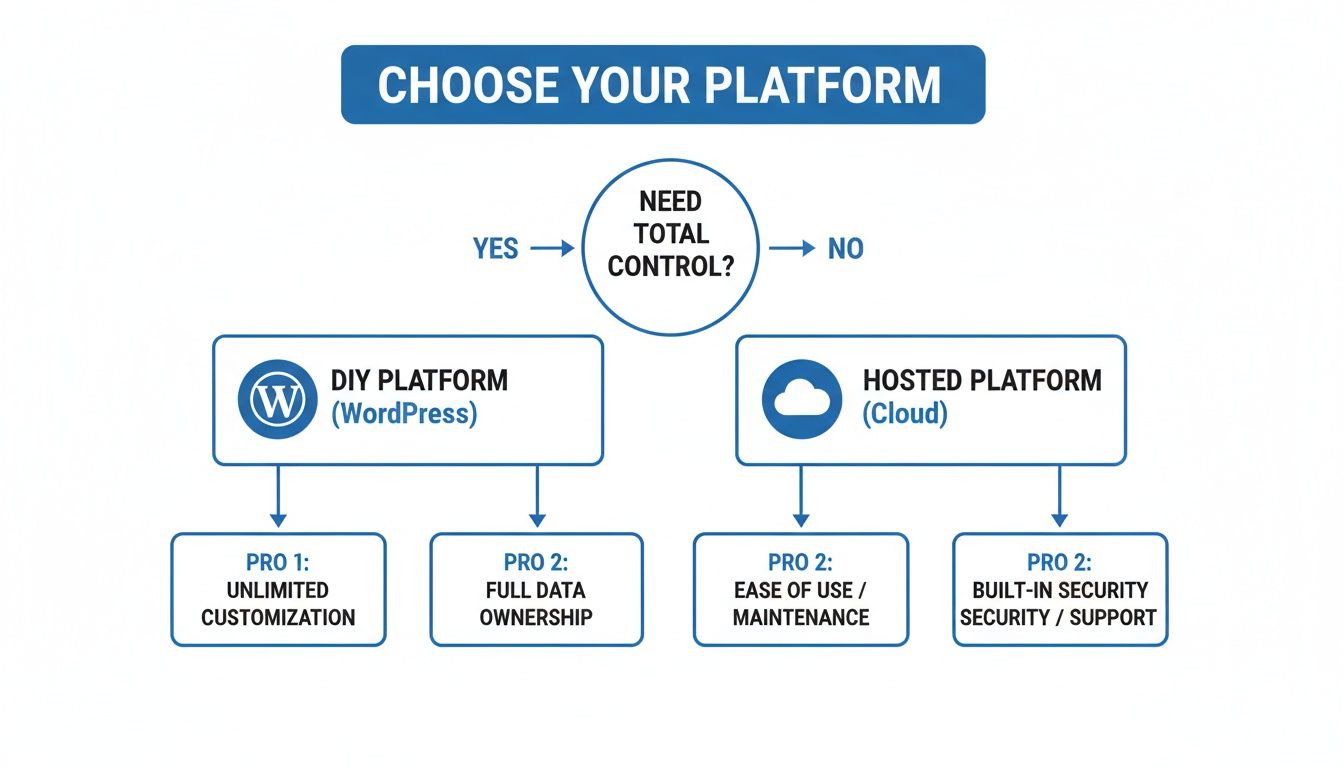
As the chart shows, the choice between a self-hosted solution like WordPress and an all-in-one platform really boils down to how much control you need versus how much convenience you want.
Choosing Your Membership Platform WordPress vs SaaS
This is one of the biggest technical decisions you'll make. Do you go the DIY route with WordPress and plugins, giving you ultimate control, or do you opt for a hosted SaaS (Software as a Service) platform that handles the tech for you? There's no single right answer—it completely depends on your budget, technical comfort level, and long-term goals.
This table breaks down the key differences to help you decide.
| Feature | WordPress + Plugins (e.g., MemberPress) | Hosted SaaS Platforms (e.g., Kajabi) |
|---|---|---|
| Control & Customization | Nearly unlimited. You control every aspect of design, features, and data. | Limited to the platform's templates and built-in features. |
| Cost Structure | Lower initial cost, but can grow with premium plugins and custom development. | Higher, predictable monthly subscription fees. |
| Technical Skill | Requires more technical know-how. You're responsible for hosting, security, and updates. | Beginner-friendly. The platform handles all technical maintenance. |
| Integrations | Massive ecosystem of plugins for almost any integration you can imagine. | Integrations are limited to what the platform officially supports. |
| Time to Launch | Can be slower due to the setup and configuration required. | Much faster. You can often get a site live in a matter of days. |
| Ownership | You own your site and all your data, completely. | You're building on rented land; your data is on their platform. |
Ultimately, WordPress is fantastic if you want total creative freedom and don't mind getting your hands dirty with the technical side. SaaS platforms are the way to go if your priority is speed and simplicity, and you're happy to work within a proven system. This initial planning phase is your most important investment. Getting these foundational pieces right ensures the website you build won't just work—it will attract, retain, and delight your members for years to come.
Crafting a Welcoming and Intuitive Member Experience
A great membership site shouldn't feel like a vault of locked content. It should feel like a community hub, a digital home base that’s genuinely welcoming. The user experience (UX) is what separates a thriving, engaged group from a ghost town that members quietly slip away from. It’s all about making people feel like they’ve found their place from the moment they sign up.
Think about the last time you joined something new. That initial impression—was it confusing, or did you feel guided and welcomed?—probably defined how you felt about the whole thing. A smooth, welcoming onboarding process isn't just a "nice-to-have"; it's your first, best shot at keeping that member for the long haul.

Designing a Frictionless Onboarding Journey
Onboarding is way more than just a welcome email. It's a carefully planned sequence that gets your new member to their first "aha!" moment as quickly as possible. This "win" could be anything from finding a crucial piece of content, introducing themselves in the forum, or completing their profile.
We recently worked with a professional association whose old system just sent out a payment receipt after a member joined. We replaced it with a simple, three-part email sequence that made a world of difference:
- Immediate Welcome: The first email confirmed their membership and gave them one clear action: "Set up your member profile."
- Day 2 – Quick Win: The next day, an email pointed them to the most popular resource—a downloadable industry report. Instant value, no digging required.
- Day 4 – Community Nudge: The final email was a gentle push to join the private forum with a prompt like, "Introduce yourself and share your biggest challenge this year."
This automated flow massively boosted profile completion rates and initial engagement. The key is to guide, not overwhelm.
The Power of a Personalized Member Dashboard
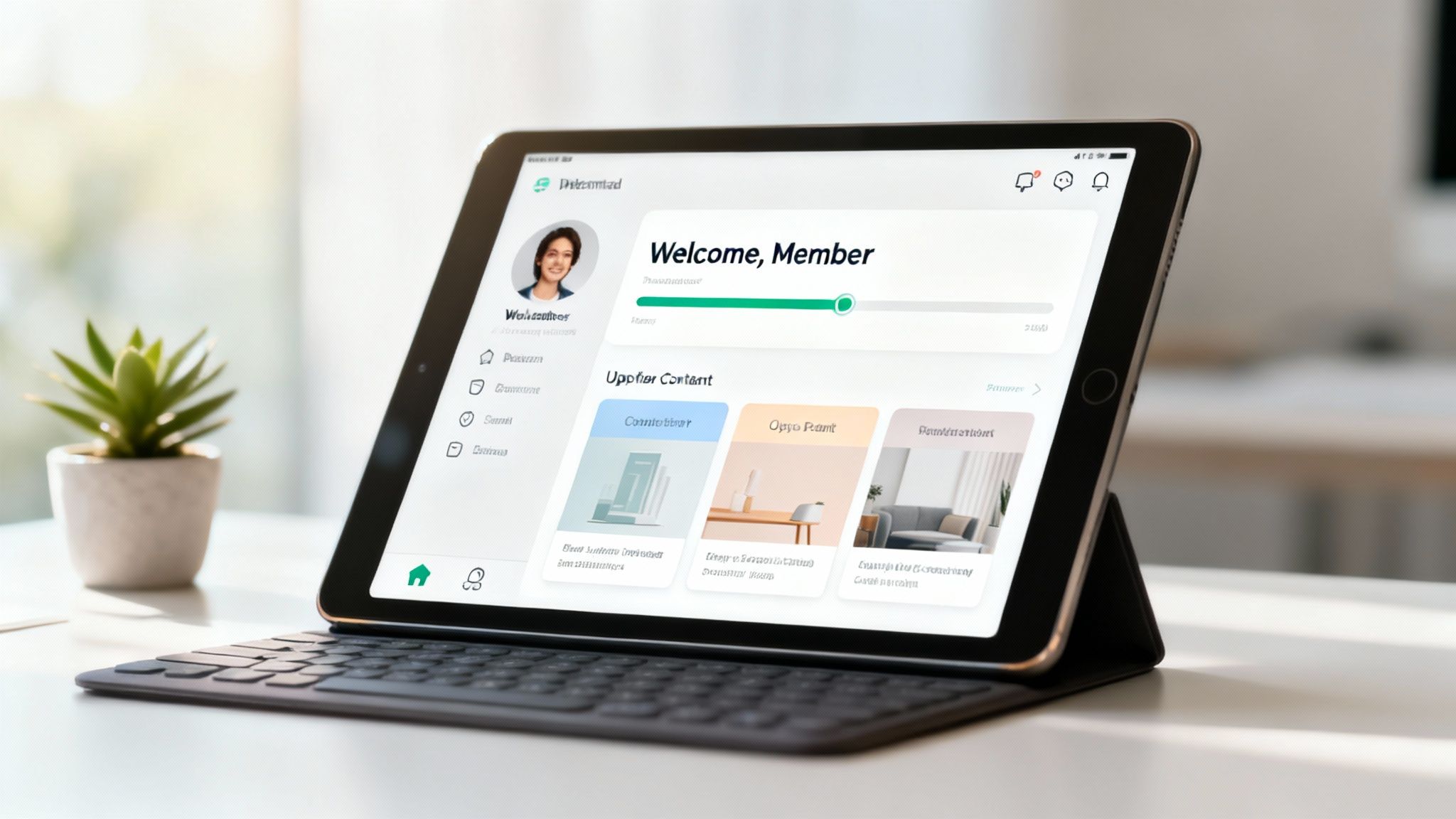
Once a member is in, their dashboard is their command center. A generic, static page just won't cut it. The best dashboards are dynamic and personal, changing based on what the member has done and what they need to do next.
A member dashboard has to answer three questions at a glance: "What's new?", "What should I do next?", and "Where can I manage my account?" If it fails at that, it's not working hard enough for you or your members.
For example, a healthcare provider we built a patient portal for has a dashboard showing upcoming appointments, links to health resources based on their file, and a secure messaging inbox. It's an indispensable tool, not just a website, all while upholding the strictest privacy standards.
Intuitive Navigation and Seamless Security
Nothing kills engagement faster than not being able to find what you paid for. Your navigation needs to be crystal clear. Ditch the clever jargon and stick to simple, obvious labels like "Courses," "Community," "Resources," and "My Account."
For anyone handling sensitive data—think financial coaches or healthcare clinics—security is a balancing act. You need iron-clad protection without creating a frustrating login loop. A good approach is to use two-factor authentication for the initial setup and then rely on secure session management for returning members. This keeps the site safe without adding unnecessary friction.
Ultimately, building a great member experience comes down to empathy. You have to anticipate your members' needs and design a clear, supportive path for them to follow. When you nail this part, you don't just reduce churn; you create genuine fans who will champion your brand. Wondering how to put these ideas into action for your own project? Reach out to us, and we can help map out a user experience that delights your members and drives your business goals.
Building a Reliable Payment and Subscription System
The payment system is the absolute engine of your membership website. If it’s clunky, unreliable, or just plain confusing, it does more than cause a few financial headaches—it chips away at the trust you’ve worked so hard to build. Getting this piece right from day one is non-negotiable if you want to turn your site into a sustainable, recurring revenue stream.
Your members are handing over their financial details, and they expect a smooth, secure, and predictable process in return. When billing works seamlessly, it reinforces their decision to join. But when a system sputters with failed payments or sends out baffling invoices, it creates immediate frustration and can quickly send members heading for the door.
Choosing Your Payment Gateway
Your first big decision is the payment gateway—the service that securely processes your members' credit card payments. For most businesses and organizations, the choice boils down to two giants: Stripe and PayPal.
While both are fantastic, they cater to slightly different priorities.
Stripe is a powerful choice for anyone who wants a completely integrated experience. Members enter their card details right on your website, which looks professional and keeps your brand front and center. It’s built from the ground up for subscriptions and offers incredibly robust tools.
PayPal is a household name, and that familiarity is its biggest strength. Many people already have an account, which can make signing up feel a little faster. The downside is that it usually redirects users to the PayPal site to finish the payment, which can feel a bit disjointed from your own site's experience.
Automating Billing and Handling Failed Payments
The true beauty of a membership model is automated, recurring billing. Your system needs to handle this flawlessly, charging members on their renewal date without you lifting a finger. But what happens when a payment fails? It's inevitable. A card expires, gets reported stolen, or just doesn't have enough funds. This is where dunning management becomes your best friend. Dunning is simply the process of gracefully communicating with members about billing failures to recover the payment.
A solid system will automatically:
- Retry the payment: It should try charging the card again a few days later.
- Send automated emails: It needs to notify the member that their payment failed and give them a simple, secure link to update their billing info.
- Temporarily suspend access: If the payment isn't updated after a few attempts, the system should pause their membership, not immediately cancel it.
This automated process saves you from having awkward conversations and rescues a huge number of members who would have otherwise churned by accident. For a deeper dive, our guide on how to accept credit card payments online walks through the setup.
A Real-World Scenario: The Local Business Association
Let’s put this into practice. We worked with a local business association that was still tracking dues in a spreadsheet and chasing down checks. It was a total administrative nightmare. They wanted a membership site to automate the whole process.
Here’s the simple, highly effective system we helped them put in place:
- Platform Choice: They went with WordPress and the MemberPress plugin for its flexibility and control.
- Payment Gateway: We set them up with Stripe. They loved that the entire payment process happened on their site, reinforcing their professional image.
- Pricing Tiers: We created two straightforward plans: a monthly option for flexibility and an annual option with a small discount (equal to one month free) to encourage upfront commitment.
- Dunning Setup: We configured Stripe’s automated emails to gently notify members if a payment failed. They had a 14-day grace period to update their card before their access to the member directory and event discounts was paused.
The change was incredible. Their administrative workload dropped by over 80%, and cash flow suddenly became predictable. More importantly, members appreciated the convenience of managing their own subscriptions, which actually improved overall satisfaction.
This isn't just for associations; this exact setup works for any business looking to build a recurring revenue stream. The key is picking the right tools and automating the process so it feels effortless for everyone. For complex integrations, it's often wise to consult with payment experts who live and breathe this stuff.
If you’re feeling a bit lost in the technical details, you're not alone. We specialize in building these secure, automated systems so our clients can focus on what they do best: serving their members. Reach out to us by email or give us a call, and let's talk about building a payment system that truly works for you.
Protecting Your Content and Member Data
The entire premise of a membership website boils down to one word: exclusivity. People are paying you for access to something they can't get elsewhere. Your job is to make sure that promise holds up. Protecting your premium content and your members' private information isn't just a technical box to check—it's the very foundation of trust you need to build a lasting community.
Think of your membership site as a digital VIP room. The bouncer at the door is your content restriction system, and its only job is to make sure paying members are the only ones getting inside. If that system is weak, the value of the membership disappears in a heartbeat.
Setting Up Your Content Restriction Rules
On a practical level, content restriction is all about setting rules. You get to decide which pages, posts, downloads, or even entire chunks of your site are locked away and who gets the keys. For example, a business coach might have a "Gold" tier that unlocks a deep library of video courses, while the "Silver" tier only gets access to the monthly webinars.
Thankfully, most modern membership platforms make this pretty straightforward. You can usually navigate to any piece of content on your site and, with a few clicks, assign it to one or more membership levels.
- Drip Content: We once built a site for a real estate coaching program that used a "drip" model. Instead of overwhelming new members with all 12 modules at once, a new module was unlocked each week. This kept them from feeling swamped and dramatically improved long-term engagement.
- Tiered Access: A local chamber of commerce we worked with offers different access levels. "Basic" members can see the event calendar, but "Premium" members can also tap into the full member directory and download exclusive market research reports.
This is where your membership tiers really come to life, ensuring each level delivers exactly the value you promised.
Security Practices That Are Non-Negotiable
Beyond just hiding your content, you have a serious obligation to protect the data your members give you. Data breaches are a constant headline, and a single security slip-up can ruin your reputation overnight. Building a secure foundation isn’t optional; it's a critical part of knowing how to build a membership website that people can trust.
First things first: you absolutely must have an SSL certificate. This encrypts the data flying back and forth between your members' browsers and your server, changing your site's address from http to the secure https. Most good web hosts include this for free now, and it's non-negotiable.
Next up, you have to enforce strong login habits. This means requiring passwords that aren't just "password123."
Your password policy should mandate a mix of uppercase and lowercase letters, numbers, and symbols. We recommend a minimum length of at least 12 characters. A weak password is the digital equivalent of leaving your front door wide open.
Even better, strongly encourage two-factor authentication (2FA). This adds a powerful layer of security by requiring a member to have both their password and a temporary code from their phone to log in. For a deeper dive, you can learn more about website security best practices in our comprehensive article.
Handling Compliance for Regulated Industries
For some, security isn't just a best practice—it's a legal requirement. If your work falls into a field like healthcare, you have to navigate regulations like the Health Insurance Portability and Accountability Act (HIPAA).
For instance, a therapist offering a membership with a private community forum can't just grab any off-the-shelf software. They have a legal duty to ensure their entire platform and hosting environment are HIPAA-compliant to protect sensitive patient health information (PHI). This usually involves working with specialized hosting providers and verifying that all data is encrypted, both in transit and at rest.
This isn't just about avoiding hefty fines; it’s about honoring the deep trust your members place in you. Protecting their data is every bit as important as protecting the exclusive content they're paying for. If you're feeling out of your depth with these technical requirements, give us a call or send an email. We can help you build a secure, compliant site that gives both you and your members total peace of mind.
Launching and Growing Your Membership Community
Hitting "publish" on your new membership site isn't the finish line—it's the starting gate. All the planning and building got you here, but the real work, and the real reward, starts now. This is where you breathe life into the platform, nurture your budding community, and scale it into something truly sustainable.
Think of this phase as building momentum. The foundation is solid; now it's time to bring people in with a smart launch, keep them hooked with great engagement, and watch the numbers that actually tell you if you're succeeding.
Your Post-Launch Success Checklist
A smooth rollout does more than just work—it sets a professional, confident tone from the very first click. Before you shout about your site from the rooftops, run through one last-minute check to iron out any wrinkles. This isn't just about code; it's about making sure that a new member's first experience is seamless and impressive.
Here’s a quick pre-launch audit to run:
- Final User Testing: Grab a few trusted friends or colleagues who haven't been involved in the project. Ask them to sign up, pay, and try to access content. Watch them closely. Where do they hesitate? What confuses them? Their fresh eyes are invaluable.
- Email Communication Review: Read every single automated email out loud. The welcome sequence, the payment receipts, the password reset instructions. Do they sound like you? Are they genuinely helpful?
- Marketing Prep: Get your launch day assets ready ahead of time. Draft the announcement emails and social media posts now. On launch day, you want to be welcoming new members and answering questions, not fumbling with copy.
This final polish is what prevents those tiny, frustrating glitches that can sour a brand-new member's excitement.
Driving Growth with Email and SEO
Okay, you're live. Now your focus splits into two critical paths: keeping your current members happy and finding new ones. Email is your best friend for the first job, and search engine optimization (SEO) is your engine for the second.
First things first, make sure your site is tightly integrated with an email marketing platform like Mailchimp or ConvertKit. This lets you talk to your members in a targeted way. For example, you could set up an automated email that goes out to anyone who hasn't logged in for 30 days, offering them a teaser of new content to bring them back.
At the same time, you need a plan to show up when potential members are looking for answers on Google. This is where SEO for membership sites gets strategic. You're not trying to rank your members-only content; you're using your public-facing pages—like your blog or resource guides—to draw people in.
Think of your public content as the enticing appetizer. It should be valuable enough to rank well and demonstrate your expertise, but always lead the reader toward the main course: your exclusive members-only content. A clear call-to-action on every public page is a must.
This hybrid model protects your premium content while using your expertise to build a constant stream of leads. Getting the on-page elements right is key, and it's worth brushing up on the fundamentals. You can dive deeper into optimizing your public pages in our guide to local SEO best practices.
Tracking the Metrics That Matter
If you want to grow effectively, you have to trade guesswork for data. It's easy to get lost in a sea of analytics, but a few key performance indicators (KPIs) will tell you almost everything you need to know about the health of your membership business.
Keep your eyes on these three numbers above all else:
- Monthly Recurring Revenue (MRR): This is the predictable income you have coming in every month from active subscriptions. It's the lifeblood of your operation.
- Churn Rate: This is the percentage of members who cancel their subscription over a specific period. A high churn rate is a serious red flag, telling you something is wrong with your content, community, or perceived value.
- Member Engagement: This isn't a single metric but a collection of behaviors. How often are people logging in? Are they consuming content? Are they participating in discussions? Low engagement is almost always a leading indicator of future churn.
By watching these metrics like a hawk, you can spot problems before they become disasters. If engagement dips, maybe it's time to survey your members or drop a new, high-value piece of content to get them excited again.
Building a thriving membership site is a marathon, not a sprint. It demands consistency, a genuine desire to listen to your community, and an unwavering commitment to delivering value. If you're ready to turn your vision into a reality but need a technical partner to handle the build, give us a call or send an email. We’d love to help you build a platform for long-term success.
Common Questions About Building a Membership Website
As you start mapping out your own project, a lot of questions are bound to come up. Launching a membership site is a big move, and it's smart to get a handle on the details before you dive in. Based on our experience, here are the most common questions that come up when people are weighing their options.

How Much Does It Cost To Build A Membership Website?
This is always the first question, and the honest answer is, it's a huge range. The final price tag really depends on how complex your idea is and which path you take to build it.
If you go the DIY route with WordPress, you can get started pretty affordably. You're likely looking at a few hundred to a couple of thousand dollars for premium plugins like MemberPress, a professional theme, and solid hosting. This is a fantastic option if you have the time and technical comfort to handle the setup and maintenance yourself.
On the other end of the spectrum, partnering with a digital agency for a custom build is a bigger investment, usually starting in the thousands and going up from there. The cost scales with the features. For instance, a healthcare clinic that needs a custom patient portal with specific security compliance has a very different budget than a local hobby club that just needs a simple content library. The main cost drivers are always the level of custom design, the complexity of your membership rules, and the number of third-party systems you need to integrate.
What Is The Best Platform For A Membership Website?
There's no single "best" platform for everyone. The right choice is all about your specific needs, your technical skills, and where you see your business going in the long run.
For those who want maximum flexibility and total control, a self-hosted WordPress site is almost always our top recommendation. Its plugin ecosystem is unmatched, giving you the power to customize everything. It’s an asset you own and can scale indefinitely as your community grows.
Now, if simplicity is your top priority and you want an all-in-one system, a hosted SaaS platform like Kajabi can be a great fit. They handle all the technical headaches for you, which is a massive plus for non-technical founders. The trade-off is less control; you're essentially building on rented land. We usually guide clients toward WordPress when their website is a core, long-term asset for their business.
How Can I Keep Members Engaged After They Sign Up?
Getting your site launched is just the starting line. Real success comes from keeping your members around, which means keeping them engaged. This is how you reduce churn and build a community that lasts.
Success hinges on consistently providing value and fostering a sense of belonging. The goal is to make the membership an indispensable part of their routine, not just a one-time purchase they forget about.
Good engagement isn't an accident; it's a strategy. Here’s what works:
- Structured Onboarding: A thoughtful welcome email series is your best tool for getting new members oriented and showing them value from day one.
- Regular Content Drops: Keep things fresh. Consistently releasing new, exclusive content gives people a reason to log back in.
- Interactive Events: Members-only webinars, Q&A sessions, or virtual meetups do wonders for building real community bonds.
- Community Forums: Give your members a private, safe space to connect with each other. This often becomes as valuable as the content you create.
Focus on these elements, and you'll turn a simple transaction into a genuine, lasting relationship.
Feeling inspired but need a hand with the technical details? The team at Studio Blue Creative has spent over a decade helping businesses, nonprofits, and healthcare providers plan, build, and grow measurable digital experiences. We turn great ideas into practical, scalable websites.
Ready to talk about your project? Contact us today to start the conversation.
