
In a competitive market, a standard website often isn't enough to capture and retain customer attention. Businesses, nonprofits, and healthcare providers are constantly searching for ways to deliver faster, more reliable, and more engaging experiences without the prohibitive cost and complexity of native mobile apps. This is where Progressive Web Apps (PWAs) enter the picture. A PWA combines the best of the web with the feel of a mobile app, creating a powerful, installable, and incredibly fast experience delivered directly from a browser.
If you've felt the limitations of a slow website or hesitated at the cost of developing separate apps for both iOS and Android, understanding the real-world progressive web app benefits is the first step toward a smarter digital strategy. This article moves beyond technical jargon to provide a clear roadmap for organizations like yours, from small businesses in Tennessee seeking better lead generation to startups needing to validate an idea quickly.
We will explore nine transformative advantages, each supported by practical examples and implementation insights. You'll see how this technology can directly impact your bottom line, streamline operations, and build lasting relationships with your audience, all without the hurdles of a traditional app store.
1. Improved User Experience with Offline Functionality
One of the most significant progressive web app benefits is the ability to provide a reliable, app-like experience even without an internet connection. PWAs use a technology called "service workers," which act as a proxy between the web application, the browser, and the network. They intelligently cache key resources, allowing users to load the app's interface, browse previously viewed content, and even interact with certain features while offline.
This capability is a game-changer for businesses where user connectivity can be unpredictable. When the connection is restored, any data entered offline, like a submitted form or a queued donation, automatically syncs with the server. This seamless continuity dramatically reduces user frustration and lowers bounce rates, keeping visitors engaged with your platform regardless of their network status.
Real-World Application and Impact
Consider a healthcare clinic's patient portal. A PWA allows a patient to open the portal and view their appointment history or medication list, even in a hospital wing with poor Wi-Fi. Similarly, a nonprofit like Habitat for Humanity could use a PWA to allow event volunteers to sign up new donors offline at a build site; the data simply syncs once a connection is available.
Key Insight: Offline functionality transforms your website from a simple online resource into a dependable tool, directly improving user retention and trust.
How to Implement Offline Functionality
To leverage this PWA benefit, focus on a strategic implementation that delivers real value.
- Identify Core Offline Features: Determine which parts of your site are most critical. For an e-commerce store, this might be viewing a cached product catalog; for a service business, it could be accessing contact information and filling out a contact form.
- Use Intelligent Caching: Implement a service worker to cache essential assets (like your logo, CSS files, and key pages). Use a "cache-first" strategy for static content, so it loads instantly from the cache.
- Provide User Feedback: Clearly indicate the app's status. Display a subtle banner or icon to let users know they are offline and that their actions will be synced later.
- Thoroughly Test: Test offline scenarios rigorously across various devices and browsers to ensure a consistent and bug-free experience.
2. Significant Reduction in Development and Deployment Costs
Another powerful progressive web app benefit is the dramatic reduction in development and maintenance expenses. PWAs operate on a single, unified codebase that works across all platforms, including web, iOS, and Android. This approach completely eliminates the need to build, deploy, and support separate native applications for each operating system, a process that is often costly and time-consuming.
This consolidation is a significant advantage for businesses with limited resources. Instead of hiring specialized iOS and Android developers, your existing web development team can leverage familiar technologies like HTML, CSS, and JavaScript. Updates are deployed instantly to all users without going through lengthy app store review processes, ensuring faster feature rollouts and bug fixes. This streamlined model directly lowers the overall mobile app development cost and reduces long-term maintenance overhead.
Real-World Application and Impact
Starbucks famously implemented a PWA to offer an app-like ordering experience without the high cost of native app maintenance, resulting in a significant increase in user engagement. A local Tennessee medical practice could create a patient registration PWA that works flawlessly on a clinic's desktop, a patient's iPhone, and an administrator's Android tablet—all from one codebase. This saves immense resources that can be reallocated to improving patient care.
Key Insight: A PWA unifies your development efforts into a single, cost-effective platform, freeing up budget and resources while accelerating your time-to-market.
How to Implement a Cost-Effective PWA Strategy
To maximize the financial benefits of a PWA, adopt a strategic approach focused on efficiency and core value.
- Evaluate Essential Native Features: Carefully assess which device-specific functions (like advanced biometrics) are truly critical. Many app features can be effectively replicated in a PWA.
- Use Cross-Platform Frameworks: Leverage modern web frameworks like React, Vue, or Angular, which are designed to build responsive, high-performance PWAs that feel native on any device.
- Plan for Progressive Enhancement: Start by building a solid, core PWA experience. You can selectively add more complex, device-specific features later if the business case justifies it.
- Invest in Automated Testing: Create a robust testing infrastructure to automatically check functionality across different browsers and devices. This catches issues early and reduces manual quality assurance costs.
3. Enhanced Mobile Performance and Faster Load Times
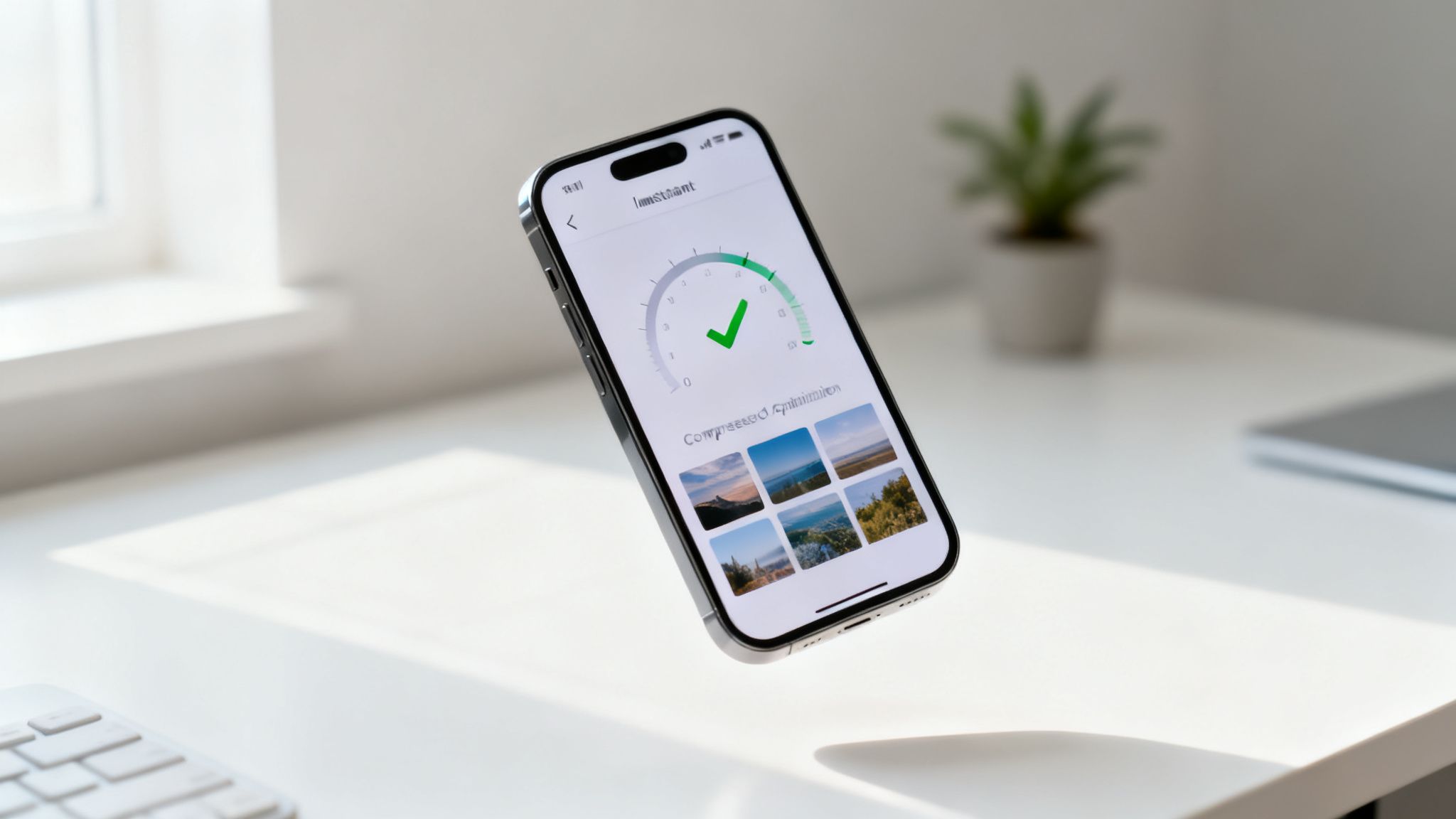
One of the most impactful progressive web app benefits is a dramatic improvement in mobile performance and speed. PWAs are inherently designed to be lightweight and fast, leveraging modern web technologies like service worker caching, code splitting, and advanced compression. Unlike traditional websites that must fetch all resources from the network on every visit, PWAs serve critical assets from a local cache, leading to near-instantaneous load times.
This speed is not just a user convenience; it's a critical business metric. Research consistently shows that faster websites lead to better user engagement, lower bounce rates, and higher conversion rates. For any organization, whether it's an e-commerce store, a healthcare clinic, or a nonprofit, this performance boost translates directly into better SEO rankings and a stronger bottom line.
Real-World Application and Impact
The results of PWA performance enhancements are well-documented. Alibaba's PWA, for instance, achieved a 76% increase in conversions with load times under two seconds. Similarly, Pinterest saw a 40% jump in user engagement after launching its PWA. For a healthcare provider, this speed means a patient can access their medical records in under a second, while for a nonprofit, it means a potential donor can complete a donation form without frustrating delays.
Key Insight: Superior performance isn't a feature; it's a fundamental requirement for mobile success. PWAs provide the framework to meet and exceed user expectations for speed.
How to Implement Performance Enhancements
Achieving optimal speed requires a focused, data-driven approach to PWA development.
- Audit and Identify Bottlenecks: Use tools like Google Lighthouse and PageSpeed Insights to analyze your current site. These tools provide a clear report on performance issues and offer actionable recommendations.
- Implement Aggressive Optimization: Focus on optimizing images with modern formats like WebP, minifying CSS and JavaScript files, and using responsive images to serve the right size for each device.
- Leverage Service Workers and CDNs: Use service workers to cache your app shell and critical assets. Distribute static content globally with a Content Delivery Network (CDN) to reduce latency for users everywhere.
- Monitor Core Web Vitals: Continuously track key performance metrics like Largest Contentful Paint (LCP), First Input Delay (FID), and Cumulative Layout Shift (CLS), as these directly impact your Google search ranking.
4. Installation Without App Store Dependency
One of the most powerful progressive web app benefits is the ability to bypass traditional app stores entirely. Users can install your PWA directly to their device's home screen with a simple prompt, creating an app icon that offers instant, full-screen access just like a native app. This model removes the friction and gatekeeping associated with the Apple App Store and Google Play Store.

For businesses, this means you regain full control over your distribution channel. You are no longer subject to lengthy, unpredictable review processes or the risk of rejection. More importantly, you avoid the hefty 15-30% commission fees on transactions, a significant cost saving for e-commerce stores and membership-based organizations. This direct-to-consumer approach fosters a closer relationship with your audience and enables rapid updates without waiting for app store approval.
Real-World Application and Impact
Consider a local theater launching a new membership platform. Instead of navigating the complex app store submission process, they can prompt patrons to add the PWA to their home screen directly from the website. Similarly, a local healthcare provider can distribute its patient portal directly to clients, ensuring easy access to appointments and medical records without requiring a formal app store download. Even major players like Spotify leverage PWAs to reach users on various devices without forcing a store download.
Key Insight: Direct installation empowers you to control your app's distribution, accelerates your time-to-market, and eliminates costly commission fees, putting you in charge of your user relationships.
How to Implement Direct Installation
To capitalize on this PWA benefit, focus on encouraging user adoption through a seamless and well-timed installation process.
- Craft a Compelling Prompt: Don't rely on the browser's default prompt. Create a custom UI element that clearly explains the value of installing the app, such as "Add our app for faster access to your appointments."
- Time the Prompt Strategically: Trigger the "Add to Home Screen" prompt after a user has shown engagement, like after they've logged in, completed a purchase, or visited multiple times.
- Provide Clear Instructions: Since the installation process can vary slightly between browsers (Chrome, Safari) and operating systems (iOS, Android), offer simple, visual guidance for users who may need it.
- Track Installation Metrics: Use analytics to monitor how many users are installing your PWA. This data helps you understand adoption rates and refine your promotion strategies.
5. Superior Search Engine Optimization (SEO) Performance
A significant, yet often overlooked, progressive web app benefit is its inherent advantage in search engine optimization. Unlike traditional single-page applications that can be difficult for search engines to crawl, PWAs built on modern web standards are fully visible and indexable by Google. Their enhanced performance, driven by service worker caching, directly improves Core Web Vitals, which are crucial ranking factors.
This means your PWA's fast load times and stable layout are not just great for users; they are signals to Google that your site provides a superior experience. By ensuring content is accessible and quick to load, PWAs give businesses a technical edge over slower, less optimized competitors, leading to better organic search visibility and higher rankings.
Real-World Application and Impact
An e-commerce PWA can see a dramatic organic traffic increase after implementation as its product pages load faster and become more discoverable. For example, a local Nashville boutique that converts its website to a PWA could see its product pages rank higher in Google search results. Similarly, a healthcare clinic's PWA can improve its local search rankings for key medical terms, making it easier for new patients to find their services.
Key Insight: PWAs directly address Google's performance-based ranking factors, transforming technical optimizations into tangible gains in search engine visibility and organic traffic.
How to Implement for SEO Success
To maximize your PWA's ranking potential, you must align its architecture with SEO best practices from the start.
- Implement Server-Side Rendering (SSR): Use SSR or dynamic rendering to ensure search engine crawlers can easily see and index your critical page content without needing to execute JavaScript.
- Optimize for Core Web Vitals: Use tools like next/image to compress and serve images in modern formats, reducing Largest Contentful Paint (LCP) and improving load speeds.
- Leverage Structured Data: Implement Schema.org markup to help search engines understand your content, which can earn you rich snippets (like star ratings or event details) in search results. For a healthcare practice, this can improve visibility with specific details; discover more by reviewing local SEO best practices.
- Monitor Search Console: Regularly check Google Search Console for crawl errors and indexing issues to ensure your PWA is being properly seen and cataloged by Google.
6. Increased User Engagement and Retention Through Push Notifications
One of the most powerful progressive web app benefits is the ability to send timely push notifications directly to a user's device, even when the browser is closed. This feature creates a direct communication channel that drives re-engagement far more effectively than traditional methods like email. Users who opt-in can receive contextual, valuable alerts, keeping your brand top-of-mind and encouraging repeat visits.
This capability is a game-changer for businesses that rely on consistent user interaction. Unlike native app notifications, PWA push notifications don't require an app store download, removing a significant barrier for users. From abandoned cart reminders to appointment alerts, these messages provide immediate value and have been shown to dramatically boost user retention and conversion rates.
Real-World Application and Impact
An e-commerce store can use a PWA to send a notification about a flash sale on a previously viewed item or a reminder about products left in a shopping cart, often recovering a significant portion of would-be lost sales. For a healthcare clinic, automated appointment reminders sent via push notification can drastically reduce patient no-shows. A nonprofit could use them to announce an urgent fundraising campaign for disaster relief, mobilizing their community instantly.
Key Insight: Push notifications transform your website into a proactive engagement tool, allowing you to bring users back to your platform with relevant, timely messages.
How to Implement Push Notifications
To leverage this PWA benefit effectively, focus on providing value rather than creating noise.
- Request Permission Contextually: Ask for notification permission at the right moment, such as after a user completes a purchase or signs up for an event, not immediately upon their arrival.
- Segment and Personalize: Group your audience based on behavior or interests. Send targeted messages that are highly relevant to each segment, such as a special offer for repeat customers. A key benefit of PWAs is their ability to deliver timely updates through push notifications, dramatically increasing user engagement and retention. For publishers considering how to leverage this technology, exploring strategies like those discussed in Push Notifications in News Media can provide valuable insights.
- Control Frequency: Avoid overwhelming users. Implement frequency capping to limit the number of notifications a person receives within a specific timeframe to prevent "notification fatigue."
- Use Rich Content: Enhance notifications with images, action buttons ("Shop Now" or "View Appointment"), and compelling copy to maximize click-through rates.
7. GDPR Compliance and Enhanced User Privacy Control
Progressive web apps provide a powerful technical framework for enhancing user privacy and simplifying GDPR compliance. Unlike native apps where data practices can be opaque, PWAs operate within the browser's security model, offering granular, explicit permission controls for features like notifications, geolocation, and camera access. Users must actively opt-in, creating a transparent and trust-building interaction from the start.

This architecture is a key progressive web app benefit for organizations handling sensitive information. Service workers can be configured to limit data tracking, implement transparent data handling protocols, and more easily support user data export or deletion requests. By building privacy into the core functionality, you give users direct control over their information, which is essential for compliance and user confidence.
Real-World Application and Impact
A healthcare clinic can build a PWA that ensures HIPAA-compliant patient data handling, requesting permissions only when necessary, like accessing the camera to upload an insurance card. Similarly, an EU-focused nonprofit can use a PWA with privacy-preserving analytics to understand user behavior without collecting personal data, respecting donor privacy while still gaining valuable insights.
Key Insight: PWAs offer a privacy-by-design architecture, making it easier to meet regulatory requirements like GDPR and build a more trustworthy relationship with your users.
How to Implement Privacy-Focused Features
Leveraging PWAs for better compliance requires a deliberate, user-centric approach to data handling.
- Implement Explicit Consent: Ensure your PWA requests permission for every data collection point, from push notifications to location services, with clear, jargon-free language explaining why it's needed.
- Audit Your Service Worker: Carefully configure your caching strategy to prevent sensitive personal data from being stored insecurely in the browser cache.
- Provide Data Control: Build straightforward mechanisms within the PWA for users to access, review, and request deletion of their data, fulfilling "right to be forgotten" requirements.
- Document Everything: Create a transparent and easy-to-understand privacy policy that details your data handling practices. Our guide on GDPR compliance for WordPress offers foundational principles that apply here as well.
8. Lower Bandwidth Usage and Device Storage Optimization
A key progressive web app benefit is its ability to operate efficiently on limited resources, significantly reducing both data consumption and the amount of storage space it occupies. By using intelligent caching via service workers, PWAs store essential application assets locally. This means that after the initial visit, the app only needs to download new or updated content, drastically cutting down on bandwidth requirements for subsequent sessions.
This lean approach is a major advantage for businesses serving users with limited data plans, slow network connections, or in emerging markets. It also means the application has a tiny footprint on a user's device compared to a native app, removing storage as a barrier to installation. For your business, this translates directly into lower server and hosting costs, improving operational efficiency with every user visit.
Real-World Application and Impact
Consider Alibaba's PWA, which was designed to serve users on inconsistent networks like 3G. By optimizing for lower bandwidth, they saw a massive increase in engagement and conversions from mobile users. A real-world nonprofit could deploy a PWA for field workers in remote, low-connectivity areas to sync essential data without draining precious mobile data plans, ensuring operations continue smoothly.
Key Insight: Optimizing for low bandwidth and minimal storage democratizes access to your service, expanding your market reach and making your platform more accessible and affordable for everyone.
How to Implement Bandwidth and Storage Optimization
To achieve these savings, a focused strategy is essential.
- Implement Adaptive Caching: Configure your service worker to make smart decisions based on network conditions and available device storage, caching only the most critical assets.
- Optimize Media Assets: Use responsive images and modern formats like WebP to serve appropriately sized assets for each device, preventing unnecessary data downloads.
- Provide a Data-Saver Mode: Consider adding an optional setting within your PWA that further reduces data usage by loading lower-quality images or deferring non-critical content.
- Test on Real Networks: Don't just rely on desktop-based network throttling. Test your PWA's performance on actual 3G and 4G networks to understand the real-world user experience and identify optimization opportunities.
9. Seamless Cross-Platform Experience and Device Synchronization
A core progressive web app benefit is delivering a unified experience across all devices from a single codebase. PWAs run identically on Windows, Mac, iOS, and Android, eliminating the need for separate native app development. This consistency ensures users have the same high-quality interaction whether they are on a desktop, tablet, or smartphone.
This cross-platform nature is powered by service workers that also handle data synchronization in the background. A user can start a task on their laptop, such as filling out a detailed form, and seamlessly pick it up on their phone later. Changes are queued when offline and automatically synced once a connection is re-established, creating a fluid, uninterrupted workflow for users on the move.
Real-World Application and Impact
Imagine a productivity tool like Trello. A team member can draft a project plan on their desktop at the office. During their commute, they can open the same PWA on their phone to make quick edits or add notes. For a healthcare clinic, a PWA allows a doctor to review a patient's chart on a desktop and later update it from a tablet during their rounds, with all data synchronized in real-time across every access point.
Key Insight: A single, synchronized PWA reduces development costs and support overhead while eliminating the fragmented user experience common with separate web and native apps.
How to Implement a Cross-Platform Experience
Achieving a truly seamless PWA requires a thoughtful approach to design and technology.
- Build with Responsive Frameworks: Use modern frameworks like Tailwind CSS or Bootstrap to ensure your PWA's layout adapts gracefully to any screen size, providing a native feel on every device.
- Implement Cloud Synchronization: Leverage a backend-as-a-service (BaaS) like Firebase or Supabase to manage real-time data syncing between devices. This simplifies the complexity of handling user data.
- Design for Offline First: Structure your app to handle data conflicts gracefully. Assume the user might be offline and design workflows that prevent data loss when the connection is restored.
- Test on Real Devices: Go beyond browser emulators. Test your PWA extensively on a variety of actual iOS and Android devices to catch platform-specific bugs and ensure a smooth, consistent user experience.
9-Point PWA Benefits Comparison
| Item | Implementation Complexity 🔄 | Resource Requirements 💡 | Expected Outcomes ⭐ 📊 | Ideal Use Cases | Key Advantages ⚡ |
|---|---|---|---|---|---|
| Improved User Experience with Offline Functionality | 🔄🔄 Moderate–High — service workers, cache & sync logic | Local storage (IndexedDB), background sync, thorough testing | ⭐⭐⭐ Better engagement, lower bounce, improved conversions & SEO | Healthcare, clinics, nonprofits, e‑commerce with flaky connectivity | ⚡ Offline continuity; higher retention and conversion |
| Significant Reduction in Development and Deployment Costs | 🔄 Moderate — single web codebase, fewer platform builds | Web dev skills, CI/CD, testing infra (no native teams) | ⭐⭐ Cost savings (40–60%), faster time‑to‑market 📊 | Startups, SMBs, e‑commerce, registration systems | ⚡ Lower dev/maintenance costs; instant updates |
| Enhanced Mobile Performance and Faster Load Times | 🔄🔄 Moderate–High — code splitting, CWV optimization | Performance engineers, CDN, image tooling, monitoring | ⭐⭐⭐ Faster loads, improved Core Web Vitals, higher conversions 📊 | High‑traffic sites, e‑commerce, SEO‑driven businesses | ⚡ Improved SEO ranking and conversion rates |
| Installation Without App Store Dependency | 🔄 Low–Moderate — manifest & install UX | Basic PWA setup, marketing to drive installs | ⭐⭐ Direct distribution, instant updates, avoided store fees 📊 | Small businesses, nonprofits, membership platforms | ⚡ Bypass app stores; reduce commission & review delays |
| Superior Search Engine Optimization (SEO) Performance | 🔄🔄 Moderate–High — SSR/dynamic rendering and metadata | SEO developers, SSR support, monitoring tools | ⭐⭐⭐ Higher search rankings, increased organic traffic 📊 | Local businesses, healthcare, content sites | ⚡ Better crawlability, rich snippets, mobile‑first visibility |
| Increased User Engagement and Retention Through Push Notifications | 🔄 Moderate — Push API, permission flows, backend | Push server, analytics, segmentation tools | ⭐⭐ Higher re‑engagement (5–10% CTR), improved LTV 📊 | E‑commerce, appointment reminders, fundraising campaigns | ⚡ Direct re‑engagement; drives repeat visits |
| GDPR Compliance and Enhanced User Privacy Control | 🔄 Moderate — consent flows, secure storage, audits | Legal guidance, privacy tooling, privacy‑preserving analytics | ⭐⭐ Improved compliance, user trust, reduced legal risk 📊 | Healthcare, EU‑focused nonprofits, sensitive data apps | ⚡ Privacy‑first design; easier regulatory adherence |
| Lower Bandwidth Usage and Device Storage Optimization | 🔄 Moderate — adaptive caching, delta sync strategies | CDN, efficient encoding, responsive assets, testing on networks | ⭐⭐ Reduced bandwidth (25–50%), lower hosting costs 📊 | Emerging markets, mobile‑first users, field operations | ⚡ Lower data costs; better access on limited networks |
| Seamless Cross-Platform Experience and Device Synchronization | 🔄 Moderate — responsive design, conflict‑safe sync | Cloud sync backend, extensive cross‑device testing | ⭐⭐⭐ Consistent UX, easier support, uninterrupted workflows 📊 | Productivity apps, healthcare portals, donation platforms | ⚡ Unified experience across devices; simplified maintenance |
Is a PWA the Right Next Step for You?
Throughout this guide, we've explored the transformative impact of Progressive Web Apps across various sectors. From providing offline access for healthcare professionals to boosting user engagement for nonprofits and driving conversions for e-commerce startups, the core message is clear: PWAs offer an app-like experience directly through the web, eliminating many traditional barriers.
The key progressive web app benefits we've detailed, such as faster load times, significant cost savings over native app development, and enhanced SEO performance, are not just theoretical advantages. They represent a strategic pivot toward a more accessible, high-performance, and user-centric digital future. For organizations in Tennessee and beyond, this technology democratizes the ability to compete with larger players by delivering a superior mobile experience without the hefty investment and gatekeeping of app stores.
Synthesizing the Benefits into a Cohesive Strategy
Recapping the powerful advantages, a PWA strategy allows you to:
- Own Your Audience: Bypass app store commissions and approval processes, giving you a direct line to your users through an installable icon and push notifications.
- Maximize Reach: Leverage the inherent discoverability of the web. Every page of your PWA is a potential entry point from a search engine, a benefit native apps simply cannot offer.
- Boost Performance: Utilize modern caching to deliver near-instant loading times, even on spotty networks. This directly impacts user satisfaction, bounce rates, and conversion metrics.
- Streamline Development: Build and maintain a single codebase that works seamlessly across all devices and platforms, drastically reducing development time and long-term maintenance costs.
The decision to build a PWA is an investment in a future-proof digital asset. It combines the reliability and speed of a native app with the reach and flexibility of the web. If you're still contemplating whether a PWA is the right next step for you, exploring real-world Progressive Web Applications examples can provide valuable insights into their practical applications and success stories. These case studies demonstrate how businesses have successfully harnessed PWA technology to solve specific challenges and achieve measurable growth.
Ultimately, the journey from a standard responsive website to a feature-rich PWA is a significant one. It requires a deep understanding of service workers, manifest files, and advanced caching strategies to unlock its full potential. The payoff, however, is a resilient, engaging, and highly performant digital experience that puts your users first and drives tangible business results.
Ready to discover how a Progressive Web App could transform your business, nonprofit, or startup? At Studio Blue Creative, our veteran-owned team specializes in building high-performance, measurable digital solutions that align with your goals. Let's start a conversation about creating a faster, more engaging web experience for your audience. Reach out today for a no-obligation consultation.
Find out if ChatGPT recommends your business.
Right now, your customers are asking AI for recommendations. The AI is naming somebody. Is that name yours? Run our free AEO Scorecard — we test 3 of your real queries against ChatGPT and Claude and email you a personalized report.
