
Before you can even think about lowering your website's bounce rate, you have to get to the bottom of why visitors are leaving in the first place. The big culprits are almost always the same: slow page load speeds, content that doesn't match what the user was searching for, and a clunky mobile experience. When you get these three right, you're already ahead of the game.
Why Visitors Leave and How to Make Them Stay
Is your website getting traffic but no conversions? A high bounce rate is often the smoking gun. It’s that metric showing you all the people who landed on a page and left without clicking a single thing.
Think of it like someone walking into your shop, taking a one-second look around, and immediately walking back out. What just happened? Were they confused? Was it too slow? Was it simply not what they expected to find?
This guide moves beyond generic advice. We'll show you the practical, real-world steps we use to diagnose and fix this exact problem. Let's dig into the root causes and implement positive solutions that turn those bounces into real engagement.
Common Reasons for a High Bounce Rate
Visitors bounce for many reasons, but most issues fall into just a few buckets. Figuring out which one applies to your site is the key to creating a better experience.
For example, a local plumbing company might see a sky-high bounce rate on their emergency services page. The problem could be a page that takes forever to load on a phone, or maybe the phone number is buried at the bottom. A frustrated user with a burst pipe isn't going to wait around. They're gone.
A visitor forms their first impression in less than a second. If your page doesn’t instantly deliver on the promise made in the search results, they have zero reason to stick around. That gap between expectation and reality is the #1 driver of high bounce rates.
Your site is likely facing one or more of these common challenges:
- Slow Page Load Speed: If your site takes longer than three seconds to load, a huge chunk of your audience has already moved on.
- Poor Mobile Experience: More than half of all web traffic is on mobile. If your site is a pain to use on a small screen, you're actively pushing people away.
- Confusing Navigation or Design: Users need a clear, obvious path. If they can’t find what they’re looking for right away, they'll just leave.
- Content Mismatch: The page content doesn't line up with what the visitor thought they were getting from the ad or search result they clicked.
Fixing these issues is how you turn casual browsers into actual customers. For a structured approach, our comprehensive website redesign checklist can walk you through evaluating and improving these key areas. Our goal is to make visitors want to stay.
If you're ready to explore positive solutions, give us a call at 731-402-0402. A friendly conversation is often the best first step to uncovering the core problem and finding a clear path forward.
What a High Bounce Rate Is Actually Telling You
Before you can improve a high bounce rate, you have to know what "high" even means for you. It's not a one-size-fits-all number. A high bounce rate varies wildly depending on your industry and, more importantly, the specific page a visitor lands on. It isn't always a cause for alarm, but it's always a signal—your audience giving you direct feedback on their experience.
Think about it this way: a blog post will almost always have a higher bounce rate than your main services page. Someone might Google a question, land on your article, find the exact answer they need, and leave feeling satisfied. That’s a successful visit, but it still counts as a bounce.
On the other hand, if your "Contact Us" page has an 80% bounce rate, that's a massive red flag. It’s screaming that something is preventing people from getting in touch.
Pinpointing Your Opportunity Pages
First things first, stop looking at your website’s overall bounce rate. That number is a vanity metric; the real story is in the details. You need to dig in and find the specific pages that are leaking visitors. Is it the homepage? A key product page? Or maybe a landing page you’re sending paid traffic to?
Imagine a local law firm running Google Ads for "divorce attorney." They check their analytics and discover the landing page for that campaign has an 85% bounce rate. That isn't just a number; it's a story of wasted ad spend. It tells them that the vast majority of people actively looking for their services land there and immediately give up. The problem could be anything—a confusing layout, a form that won’t load on mobile, or maybe the page just doesn't look trustworthy. Without isolating that specific page, they'd be flying blind.
A high bounce rate is your audience's way of telling you there's a disconnect between what they expected and what they found. Your job is to listen to that feedback and close the gap.
To start diagnosing your own site, you need to get a feel for what’s normal. Comparing your numbers against established industry benchmarks helps you set realistic goals and focus your energy where it will make a real difference.
How Your Website Compares to Industry Averages
Context is everything. Knowing where you stand against your competitors helps you spot genuine opportunities for improvement.
The brief journey a visitor takes—landing, assessing, and deciding to leave—often happens in the blink of an eye. This infographic does a great job of visualizing the simple but critical process happening in those first few seconds.
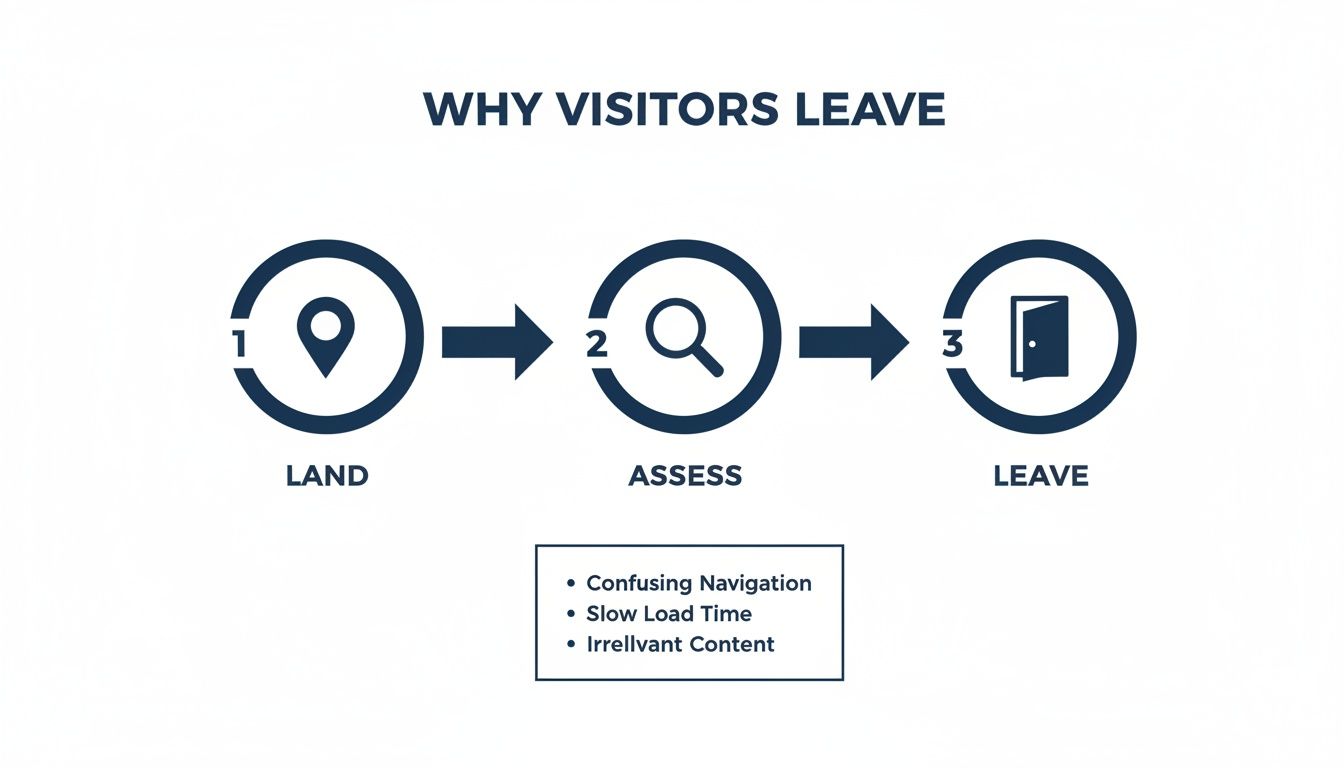
As you can see, that initial assessment is where most visitors are won or lost, usually because of a poor first impression or a mismatch in expectations. To get a better handle on your own numbers, here’s a look at some typical bounce rates across different sectors.
Industry Bounce Rate Benchmarks
This table compares typical bounce rate ranges across different business sectors to help you contextualize your website's performance.
| Industry / Page Type | Excellent Bounce Rate | Average Bounce Rate | Needs Improvement |
|---|---|---|---|
| E-commerce & Retail | 20-45% | 46-58% | 59%+ |
| B2B / SaaS | 25-55% | 56-70% | 71%+ |
| Blogs & Content Sites | 40-60% | 61-80% | 81%+ |
| Landing Pages | 30-50% | 51-70% | 71%+ |
| Service & Agency Sites | 25-45% | 46-65% | 66%+ |
Remember, these are just guidelines. The key is to use this data to set a baseline and then work on improving your own numbers month over month.
This quick video from Neil Patel also offers some great perspectives on interpreting these metrics.
Turning an abstract number into an actionable insight is the goal here. If you're looking at your analytics and aren't sure what they're telling you, we can help translate. A quick chat can often clarify where the biggest opportunities lie. Feel free to give us a call at 731-402-0402 to discuss what your data is really saying.
Improve Page Speed to Lower Your Bounce Rate
In a world of instant gratification, your website's speed isn't just a technical detail—it's a core part of the user experience. If a potential customer has to wait, they simply won't. Every extra second it takes for your page to load is a direct invitation for them to hit the back button and find a competitor who gets it right.
Slow load times are one of the most common—and fixable—reasons for a high bounce rate. You could have the most compelling content and a beautiful design, but if it takes five seconds to load, a huge chunk of your audience will never even see it. This is where so many businesses lose customers before they've even had a chance to say hello.
Why Every Millisecond Matters
The link between page speed and user behavior is direct and powerful. The data shows that websites loading within 2 seconds have an average bounce rate of just 9%. But stretch that load time to 5 seconds, and the bounce rate shoots up to 38%.
This gets even more critical on mobile devices, where 53% of users will abandon a site if it takes more than three seconds to load.
Think of a slow website like a physical store with a locked door. No matter how great the products are inside, if customers can't get in quickly and easily, they'll simply go to the shop next door. Speed is the key that unlocks the door to engagement.
For an e-commerce store, this is especially important. Imagine a boutique launching a new collection with gorgeous, high-resolution photos. If those images aren't optimized, a mobile user on a spotty connection could be stuck waiting ten seconds or more for the page to become usable. That’s not just a lost pageview; it's a lost sale.
The Most Common Speed Bumps
Most slow websites we've worked on suffer from the same handful of fixable issues. Once you identify these, you can build a clear action plan to speed things up. The usual suspects? Oversized images, bloated code, and a slow server.
These problems often pile on top of each other, creating a frustrating experience that sends visitors away. Here’s a quick breakdown of what to look for.
- Oversized Images: This is the #1 cause of slow pages. High-resolution photos straight from a camera are often several megabytes in size when they should be in kilobytes for the web.
- Unoptimized Code: Too many plugins, bulky themes, and unnecessary JavaScript or CSS files can slow down how fast a browser can render your page.
- Slow Server Response Time: This is how long it takes for your web host's server to even start sending data. A cheap, shared hosting plan might save a few bucks upfront, but it can cost you dearly in lost visitors.
Actionable Steps to Boost Your Site Speed
Getting your site into shape doesn't have to be an overwhelming project. By focusing on a few high-impact areas, you can see immediate results and make your visitors much happier.
A huge win is always image optimization. By using modern formats like WebP or AVIF, you can significantly shrink file sizes without sacrificing visual quality, leading to much faster load times.
Here’s a practical checklist to get you started today:
- Compress Your Images: Before uploading anything, run it through a compression tool. You should be aiming for file sizes under 150KB for most web images.
- Leverage Browser Caching: This tells a visitor's browser to store parts of your site, so it doesn't have to re-download everything on their next visit. Many WordPress plugins can set this up with a single click.
- Minimize Code: Use tools to "minify" your CSS and JavaScript. This process strips out unnecessary characters from the code, making the files smaller and faster to download.
- Evaluate Your Hosting: If your server response time is consistently slow (over 500ms), it’s probably time to upgrade your hosting plan. A fast server is the foundation of a fast website.
Diagnosing and fixing these speed issues can feel technical, but the impact on your bounce rate is undeniable. If you've run a speed test and aren't sure what to do next, we can help you create a clear, prioritized plan.
Give us a call at 731-402-0402, and let's talk about making your website a faster, better experience for your customers.
Enhance User Experience to Keep Visitors Engaged
A lightning-fast website gets visitors in the door, but a great user experience (UX) is what actually convinces them to stay. Once the page loads, the design, layout, and overall feel of your site take over. Is it easy to navigate, or a confusing maze that sends people away?
Think of it like a physical store. Speed got them inside, but now they're looking at your displays and how easy it is to find what they need. A cluttered or confusing environment will make them turn right around and walk out. The same exact principle applies online, where smart UX choices build trust and guide users deeper into your site.

First Impressions Are Formed in Milliseconds
The moment a visitor lands on your page, they're making a snap judgment. This initial impression is almost entirely shaped by your visual design. A professional, clean, and modern design instantly communicates that you’re credible and trustworthy.
This isn’t just a matter of taste; it directly impacts how people behave. Research shows that visually appealing websites have a 38% lower bounce rate than sites that are mostly plain text. With nearly 60% of all website traffic now coming from mobile devices, a design that looks great on a smartphone is absolutely essential.
Make Navigation Intuitive and Effortless
Confusing navigation is one of the fastest ways to lose a visitor. If users can't figure out where to go or how to find what they need in a few seconds, they're gone. Your menu should be simple, logical, and predictable.
Here are a few practical tips to get it right:
- Use Clear Labels: Avoid clever or vague terms. Stick to straightforward labels like "Services," "About Us," and "Contact."
- Limit Menu Items: A top menu with more than seven items can feel overwhelming. Group related pages under clear parent categories to keep things tidy.
- Ensure a Visible Search Bar: For sites with a lot of content, a prominent search bar is essential for helping users find specific information quickly.
A great user experience is invisible. It doesn't get in the way. It simply guides the user to their goal without them having to think about it. If your visitors are getting frustrated, your UX can be improved.
We saw this firsthand with a nonprofit client. Their homepage had a high bounce rate because the "Donate" button was buried and the main menu was a mess. By redesigning the top section with a clear headline and a single, prominent call-to-action button, we gave visitors an obvious path forward. That simple change guided users effectively and dramatically lowered their bounce rate.
Readability and Visual Hierarchy Are Crucial
Your content could be brilliant, but if it's just a dense wall of text, almost no one will read it. Good UX is all about making your content easy to consume.
This means paying attention to the fundamentals. Use a clean, legible font, ensure strong color contrast between your text and background, and most importantly, embrace white space. Giving text and images room to breathe makes the page feel less crowded and helps guide the user's eye to what matters.
Break up your text into scannable chunks:
- Short Paragraphs: Keep paragraphs to a maximum of three sentences.
- Descriptive Subheadings: Use H2s and H3s to break up long sections and help skimmers find what they need.
- Bulleted Lists: Use lists (like this one) to present information in an easy-to-digest format.
A clear visual hierarchy tells the visitor what to look at first. Your most important message—your headline and primary call-to-action—should be the most prominent thing on the page. You can learn more about creating effective layouts by exploring some fundamental e-commerce website best practices.
Improving your site's UX is an ongoing process of listening to your users and removing friction. If you're ready to create a more engaging experience that keeps visitors on your site, let's talk. Call us at 731-402-0402 for a no-obligation consultation.
Create Content And Calls To Action That Connect
Even if your site is technically perfect, it can still stumble if your message doesn’t connect with your visitor. Your copy’s job is to answer their question and then gently guide them to the next step. The moment someone lands and thinks, “This isn’t what I was looking for,” they’re gone—often in as little as 3 seconds.
That disconnect often starts before they even arrive, right in the search results. Your page title and meta description set an expectation. If the on-page copy doesn’t deliver on that promise right away, you’ve created a gap—and that gap leads straight to a bounce.

Align Your Message With User Intent
Picture a neighborhood HVAC team whose headline says, “Premier Heating And Cooling Solutions Since 1998.” It’s accurate, but it doesn't speak to someone frantically searching “emergency AC repair near me” on a hot day. They don’t need a history lesson; they need help, and fast.
By changing that headline to “Fast 24/7 Emergency AC Repair,” you instantly meet their need. Suddenly, your page feels like the right place to be, and the visitor is encouraged to stay.
Your headline has roughly three seconds to say, “You’re in the right spot, and we can help.” When you get that right, everything else has a chance to work.
Craft Calls To Action That Inspire Action
After your copy shows you understand their problem, your call-to-action (CTA) gives them a clear, easy next step. Generic buttons like “Click Here” or “Submit” can feel uninviting. Instead, your CTAs should complete the sentence, “I want to…”
- Get My Free Quote Today – instead of “Submit”
- Download the Free Guide – instead of “Learn More”
- Schedule Your Consultation – instead of “Contact Us”
Each option tells visitors exactly what happens next and why it’s worthwhile. That kind of clarity removes friction and makes it far more likely they’ll engage—rather than leave.
Use Internal Links To Create A Journey
Not every visitor is ready to become a customer on the first page. If you offer a single article with no clear next steps, you’ve created a dead end. Internal links, on the other hand, guide people deeper into your site—and keep them around longer.
Think of these links as helpful signposts:
- A blog post on “Signs You Need a New Roof” can point to your Roof Replacement Services page.
- Your service overview could link to a gallery of case studies or customer stories.
These pathways turn a single-page visit into a multi-page exploration, directly lowering your bounce rate and boosting overall engagement. As you build out this helpful structure, you’ll also see improvements in your efforts to increase website conversions.
By focusing on content that truly connects and CTAs that clearly guide action, you encourage visitors to stick around—and to take the next step. If you want an even deeper dive, check out how to increase your website conversion rate for more ideas on turning clicks into customers.
Ready to align your website's message with your visitors' needs? Call us at 731-402-0402 for a free consultation on your site’s messaging.
Need a Hand Fixing Your Bounce Rate?
Figuring out why visitors are leaving is one thing, but actually putting all these fixes into practice takes time and expertise. That's time you probably need to be running your business. At Studio Blue Creative, we specialize in digging into underperforming websites and turning them into assets that actively work for you.
Our veteran-owned team has spent over a decade helping everyone from healthcare providers to nonprofits build digital experiences that get results. We don't just glance at the numbers; we get to the root cause of a high bounce rate, whether the problem is buried in technical SEO, slow-loading pages, or a confusing layout.
A Clear Path Forward
If you're tired of seeing potential customers click away, let's talk. We can build a clear, actionable plan to keep visitors engaged and guide them toward becoming loyal customers. We’ll handle all the technical details so you can get back to what you do best.
We believe a great website shouldn't just look good—it should be a measurable asset that grows your bottom line. Fixing your bounce rate is a direct path to achieving that goal.
There's no reason to wrestle with analytics or website code on your own. Let our experienced team give you the hands-on support and straightforward communication you need to see a real difference in your site's performance.
Ready to take the next step? Call us at 731-402-0402 or send us an email to get started with a no-obligation chat. Let's build a website that makes people want to stick around.
Frequently Asked Questions
When you start digging into bounce rates, a lot of questions come up. We get it. Here are some of the most common ones we hear, with straightforward answers to help you get your website on the right track.
What Is the Fastest Way to Reduce My Bounce Rate?
If you're looking for the quickest win, focus on your page load speed. Hands down.
You can use a free tool like Google's PageSpeed Insights to see what's slowing you down. More often than not, the biggest culprit is oversized images. Just by compressing your images and enabling browser caching, you can see a huge, immediate improvement. The difference between a website that loads in two seconds versus five is massive—it can slash your bounce rate and make users happier right away.
Can a High Bounce Rate Hurt My SEO Rankings?
Yes, but indirectly. While Google has said bounce rate isn't a direct ranking signal, it’s a massive clue about the user's experience. Search engines have one primary job: give people the best answer to their questions.
If someone lands on your page and immediately clicks the back button to return to the search results (a behavior called "pogo-sticking"), it tells Google your content probably wasn't a good fit. If this happens consistently, it can certainly chip away at your page's authority and rankings over time.
A high bounce rate is a symptom, not the disease. It tells you that your page isn’t meeting user expectations—a problem search engines are very good at detecting.
Is a 70 Percent Bounce Rate Always Bad?
Not at all. Context is everything here. A 70% bounce rate on a blog post or a news article could be totally fine. Think about it: a visitor shows up, reads the article they came for, finds their answer, and leaves. Mission accomplished. The page did its job perfectly.
However, if your homepage, a critical service page, or an e-commerce product page is sitting at 70%, that's a red flag indicating a serious disconnect between what your audience wants and what you're giving them.
How Often Should I Check My Website Bounce Rate?
For general monitoring, checking your bounce rate in Google Analytics once a month is a good rhythm. It's frequent enough to catch trends and spot problem pages without getting bogged down in daily noise.
That said, if you've just launched a big marketing campaign, redesigned a key page, or pushed a major content update, you'll want to keep a closer eye on it. Check in weekly for the first month to see how your changes are performing in real-time.
Feeling like you're drowning in data? You don't have to figure this all out on your own. The team at Studio Blue Creative can help you diagnose the real issues, map out a clear plan, and turn those bounces into customers. Call us at 731-402-0402 to get the conversation started.
Find out if ChatGPT recommends your business.
Right now, your customers are asking AI for recommendations. The AI is naming somebody. Is that name yours? Run our free AEO Scorecard — we test 3 of your real queries against ChatGPT and Claude and email you a personalized report.
