
Quick answer: Hiring a web designer in Nashville, TN is one of the highest-ROI investments a small business can make — but only if you go in informed. A professional small-business website in the Nashville metro typically costs $2,500–$10,000, takes 4–12 weeks to launch, and should include SEO, mobile optimization, and clear calls to action from day one. Skip any designer who can't explain how your site will rank on Google, show up in AI search results, or convert visitors into paying customers. This guide covers the 10 things you absolutely must know before signing a contract.
1. Why Your Website Is Your Most Important Employee

Before comparing portfolios or pricing, it helps to understand what a great website actually does for a small business. Think of your website less like a digital brochure and more like your best salesperson — one who never calls in sick, never misquotes a price, and never forgets to follow up. In the Nashville metro, where foot traffic alone no longer drives discovery, your website is often the first and most critical touchpoint between your brand and a potential customer.
Your Site Works 24/7 — Your Staff Doesn't
A well-built website answers questions, captures leads, and books appointments at 2 a.m. on a Sunday — no overtime required. According to the U.S. Small Business Administration, more than 70% of consumers research a business online before visiting in person or making a purchase. In a competitive market like Nashville, that first digital impression can win or lose a customer before you ever pick up the phone.
- A homepage that loads in under 2 seconds can increase conversions by up to 15% (Google/Deloitte, 2023).
- Businesses with a professional website generate 2.8× more revenue per employee than those without one (Deloitte Digital, 2022).
Nashville's Market Is Hyper-Competitive — Looks and Speed Both Matter
Nashville added over 100 new businesses per week in 2023 according to the Tennessee Secretary of State’s office. Franklin, Brentwood, Murfreesboro, and Hendersonville are each seeing similar surges. That means your competitors are investing in their digital presence right now. A slow, outdated, or mobile-unfriendly website doesn’t just hurt your Google ranking — it actively sends customers to the business next door.
Speed benchmarks matter: Google’s Core Web Vitals require a Largest Contentful Paint (LCP) of under 2.5 seconds to qualify as “good.” Most DIY website builders score in the 3–5 second range on mobile — a ranking disadvantage you’re paying for every day.
2. What a Professional Website Actually Costs in Nashville
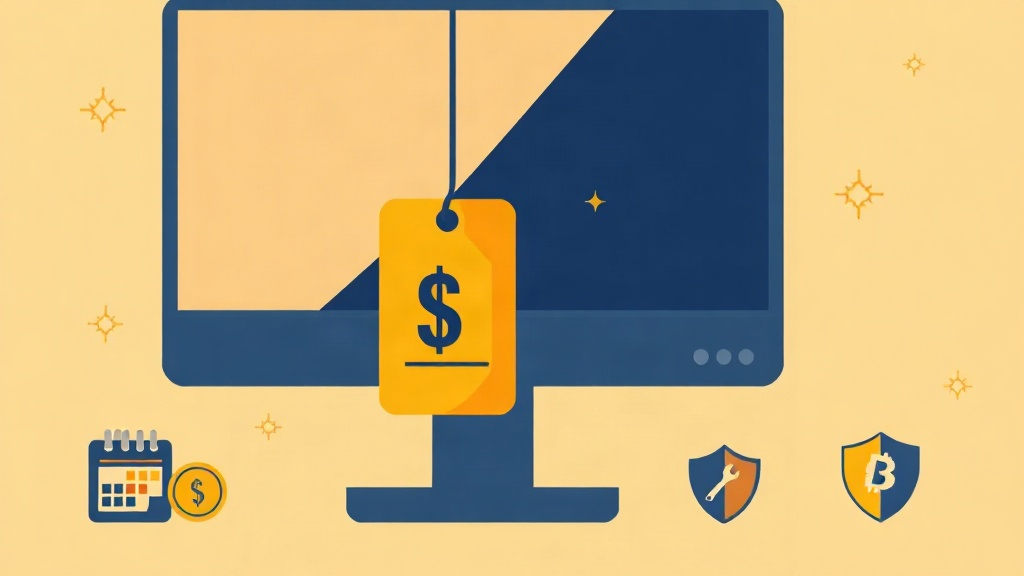
One of the most common mistakes Nashville small business owners make is choosing a web designer based on price alone. The cheapest option rarely delivers the SEO structure, mobile performance, or conversion-focused design your business needs to compete. Understanding the true cost — and what you get at each price point — helps you make a smarter investment decision from the start.
Typical Price Ranges for Nashville Small Businesses
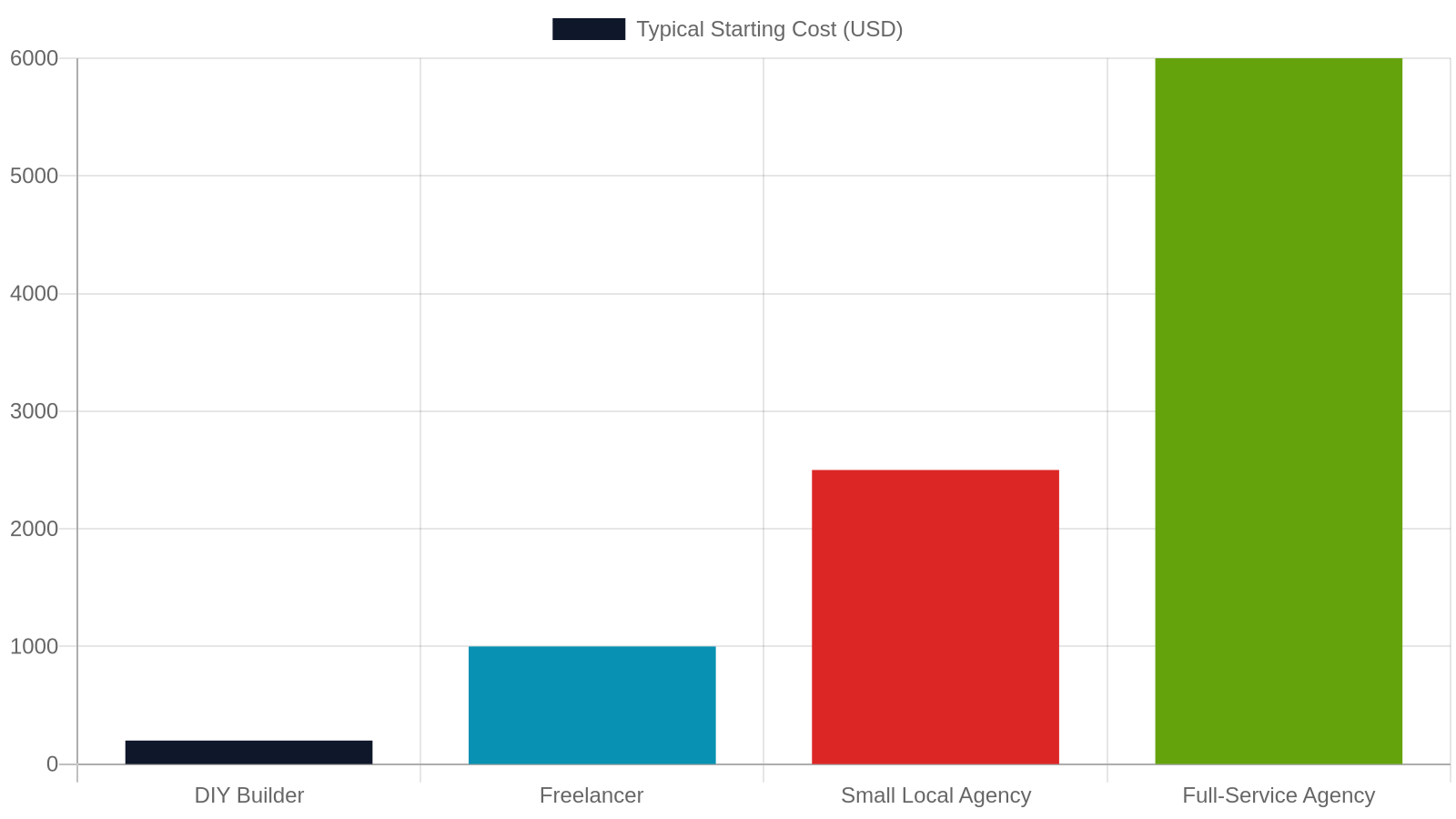
Web design pricing in the Nashville metro varies widely based on complexity, number of pages, e-commerce functionality, and the experience level of the agency or freelancer. Here’s a realistic breakdown:
- DIY builders (Wix, Squarespace): $16–$49/month — low cost, limited SEO control, generic templates
- Freelance designer: $1,000–$3,500 — variable quality, limited ongoing support
- Small local agency (5–15 pages): $2,500–$6,000 — custom design, SEO foundation, mobile-ready
- Full-service agency (e-commerce, custom features): $6,000–$15,000+ — advanced integrations, custom WordPress plugins, AEO/GEO optimization
Most Nashville small businesses fall in the $3,000–$8,000 range for a professionally designed, SEO-ready site that will serve them for 3–5 years.
Hidden Costs to Budget For
The sticker price rarely tells the whole story. Budget for these additional line items:
- Domain registration: $12–$20/year
- Hosting: $20–$80/month for managed WordPress hosting
- SSL certificate: Usually included with hosting, but verify
- Ongoing maintenance: $75–$300/month for updates, backups, and security
- SEO retainer: $500–$2,000/month if you want to rank and stay ranked
- Copywriting: $75–$200 per page if you don’t write your own content
A trustworthy web designer will walk you through all of these costs upfront — not surprise you with them after launch.
3. How Long a Website Project Should Take
Knowing what a realistic web design timeline looks like protects you from two common traps: the designer who overpromises a fast turnaround, and the project that drags on for six months because there was no clear process. Setting expectations on both sides — and understanding what you’re responsible for as the client — keeps projects on schedule and on budget.
Realistic Timelines by Project Type
Any designer who promises a complete, custom website in 48 hours is either using a template with your logo slapped on it or cutting corners that will cost you later. Realistic timelines for Nashville small business websites:
- Simple 5-page brochure site: 3–5 weeks
- 10–20 page business site with blog: 6–10 weeks
- E-commerce store (WooCommerce): 8–14 weeks
- Custom WordPress with plugin development: 10–16 weeks
These timelines assume the client provides content (text, images, logo) on schedule. Delays in content delivery are the number-one reason projects run over deadline.
What Happens During Each Phase
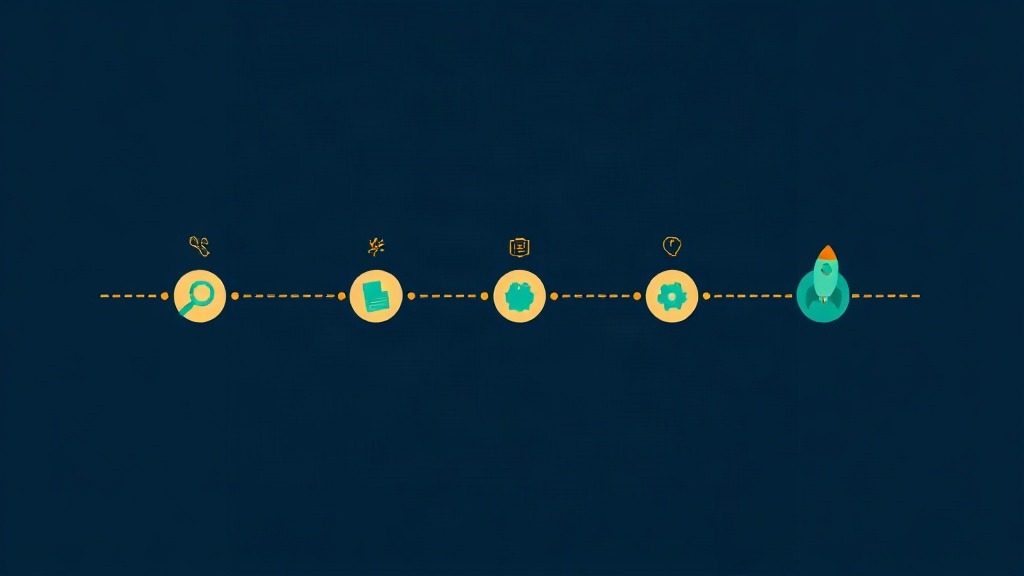
A professional web project has distinct phases — and understanding them helps you stay on track:
- Discovery (Week 1–2): Goals, audience, competitors, sitemap
- Design (Week 2–4): Wireframes, mockups, brand alignment
- Development (Week 3–8): Building pages, integrating plugins, mobile testing
- Content & SEO (Week 6–10): Copy, images, meta tags, schema markup
- QA & Launch (Week 9–12): Cross-browser testing, speed optimization, go-live
Agencies that skip the discovery phase tend to build beautiful sites that don’t actually serve the business’s goals.
4. SEO Must Be Built In From Day One — Not Added Later
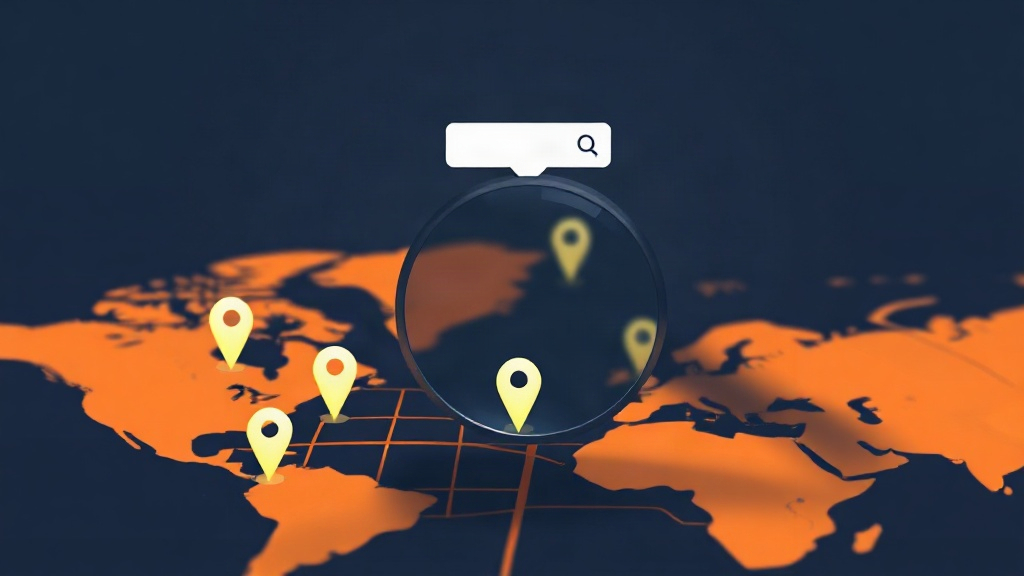
Search Engine Optimization is not a feature you add to a website like a contact form. It’s a structural discipline that influences every decision from URL naming conventions to image file sizes to the way your navigation is coded. A web designer who separates “design” from “SEO” is selling you half a product. In a market as competitive as Nashville, that half-product will sit invisible on page 4 of Google while your competitors capture your customers.
Why Retrofitting SEO Is Expensive and Ineffective
Many Nashville small business owners launch a beautiful website and then ask, “Now how do we get people to find it?” The answer — SEO — should have been baked into the project from the first wireframe. Retrofitting SEO onto a site that wasn’t built for it means rewriting URLs, restructuring headings, adding schema markup, compressing images, and sometimes rebuilding entire page templates. That’s expensive rework you can avoid entirely by choosing a designer who treats SEO as a core deliverable, not an add-on.
Key SEO elements that must be built into the initial build include: clean URL structures, proper H1/H2/H3 hierarchy, meta titles and descriptions, image alt text, XML sitemaps, robots.txt, and Core Web Vitals optimization.
Local SEO for Nashville Metro Businesses
If your customers are in Nashville, Franklin, Brentwood, Murfreesboro, or surrounding areas, local SEO is non-negotiable. This means:
- Location-specific landing pages (e.g., “Plumber in Murfreesboro” and “Plumber in Hendersonville”)
- Google Business Profile optimization and consistent NAP (Name, Address, Phone) data
- LocalBusiness schema markup so Google and AI engines can accurately describe your business
- Reviews strategy — businesses with 50+ Google reviews rank significantly higher in the local pack
A web designer who doesn’t ask about your service area during the discovery phase is not thinking about your long-term visibility. Explore our LocalBusiness schema implementation services to see how structured data can dramatically improve your local search presence.
5. AEO and GEO — the New Frontier Your Designer Should Know
Traditional SEO gets your site onto Google’s blue-link results page. But in 2024 and beyond, a growing percentage of search queries are answered directly by AI — without the user ever clicking a link. Answer Engine Optimization (AEO) and Generative Engine Optimization (GEO) are the disciplines that determine whether your business gets cited in those AI-generated answers. A modern web designer in Nashville should understand both — and build your site’s content architecture to support them.
What Is Answer Engine Optimization (AEO)?
AEO is the practice of structuring your content so that AI-powered answer engines — like Google’s AI Overviews, ChatGPT, Perplexity, and Microsoft Copilot — can read, cite, and surface your business as a trusted answer. As of 2024, over 40% of Google searches now trigger an AI Overview (Search Engine Land, 2024), meaning a growing share of users get their answer directly from Google without clicking any result. If your content isn’t structured to be cited, you’re invisible in that layer entirely.
AEO requires: FAQ schema, clear definitive statements, structured headings, and authoritative content that AI models can extract and attribute. Our AEO services are built specifically for small businesses that want to show up where answers are being generated.
What Is Generative Engine Optimization (GEO)?
GEO takes AEO a step further — it’s the practice of optimizing your content so that large language models (LLMs) like GPT-4, Claude, and Gemini include your business in generated responses, not just search results. GEO tactics include: building citation-worthy content with verifiable facts, earning mentions on authoritative third-party sites, and ensuring your entity data (business name, location, services, phone number) is consistent across the web.
For Nashville small businesses, GEO is an emerging competitive advantage. Most local competitors haven’t heard of it yet — which means early movers capture significant AI-driven visibility before the market catches up. Ask any web design candidate whether they build for GEO. If they look confused, keep looking.
6. Mobile-First Design Is Not Optional in 2024
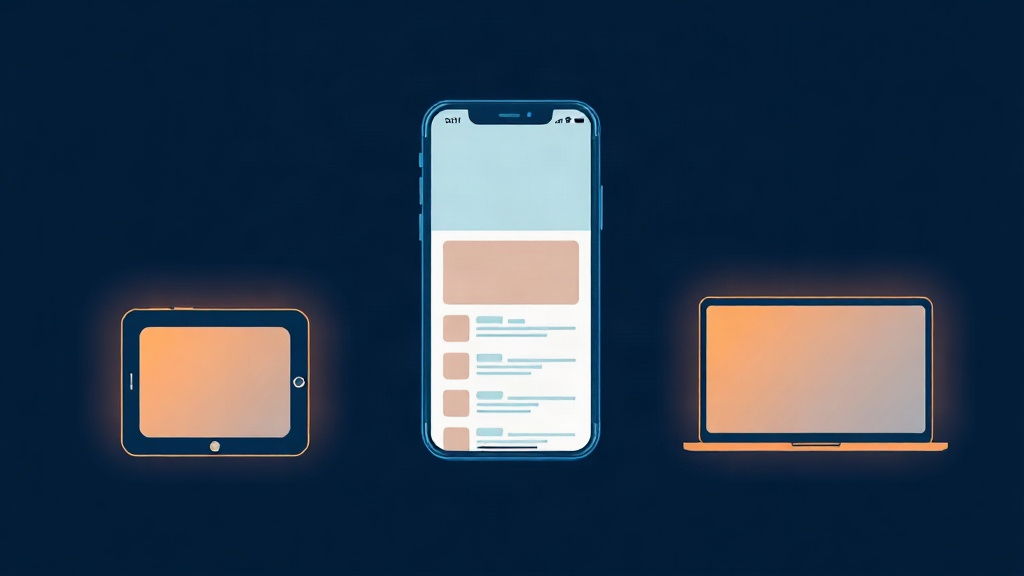
If a web designer shows you a desktop mockup and never mentions mobile during your first conversation, consider that a red flag. Mobile-first design isn’t a trend — it’s the baseline expectation set by Google, your customers, and modern web standards. Every design decision, from font size to button placement to image weight, should be evaluated on a 375px-wide screen before it’s evaluated on a 1440px monitor.
The Numbers Behind Mobile Traffic
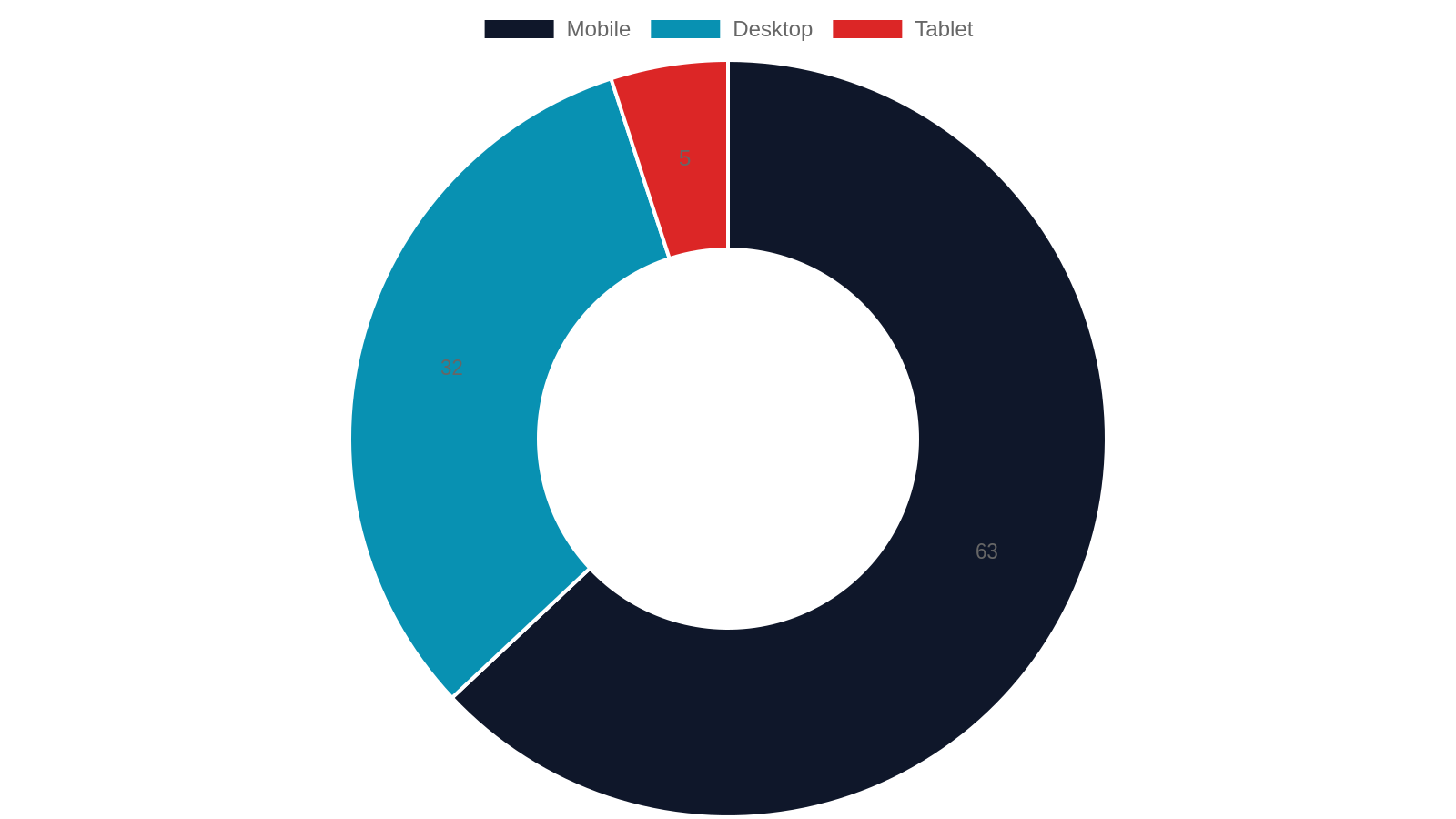
As of Q1 2024, 63% of all web traffic in the United States comes from mobile devices (Statcounter, 2024). In service-based industries — restaurants, contractors, salons, healthcare — that number climbs even higher because people search on their phones while they’re out and about. Google switched to mobile-first indexing in 2021, meaning it crawls and ranks your mobile site first. A site that looks great on desktop but breaks on a phone is actively penalized in search rankings.
- Mobile users abandon a page that takes more than 3 seconds to load at a rate of 53% (Google, 2023)
- Businesses with mobile-optimized sites see 67% higher conversion rates than those without (Adobe, 2022)
What to Look for in a Mobile-Ready Design
Not all “responsive” designs are created equal. Ask your designer specifically:
- Do you test on real devices or just browser emulators?
- Are tap targets (buttons, links) at least 44×44 pixels on mobile?
- Is the navigation thumb-friendly — no tiny dropdown menus?
- Are images served in next-gen formats (WebP, AVIF) for faster mobile load?
- Do forms auto-fill and work correctly on iOS and Android?
A designer who can’t answer these questions confidently is not building mobile-first — they’re building desktop-first and hoping it scales down.
7. WordPress vs. Website Builders — Which Is Right for Your Business?
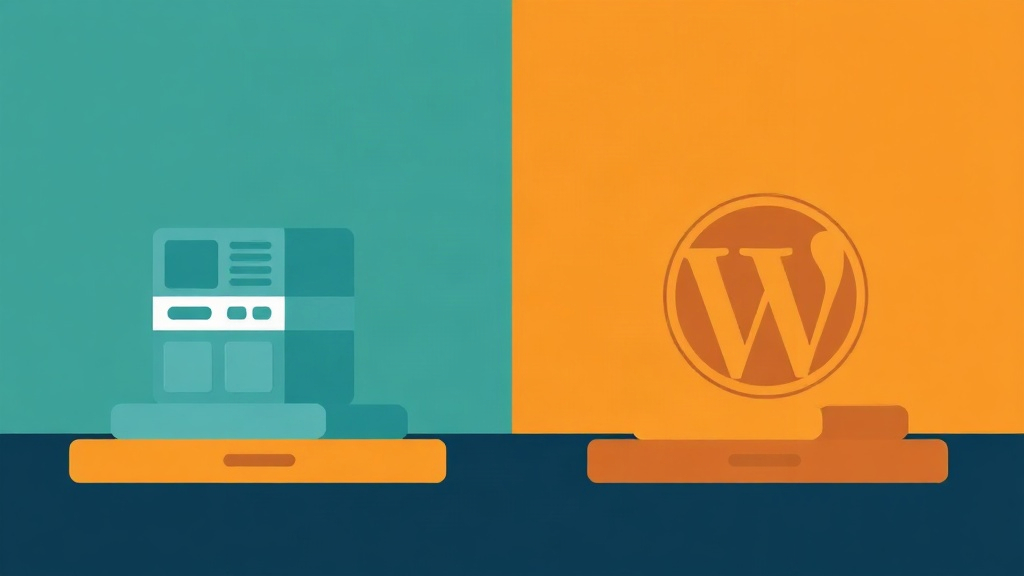
One of the first technical decisions in any web project is the platform. Your designer should be able to explain the tradeoffs clearly and recommend the right tool for your specific business goals — not just the platform they’re most comfortable billing hours on. Here’s an honest breakdown of the two most common options for Nashville small businesses.
The Case for WordPress
WordPress powers 43% of all websites on the internet (W3Techs, 2024) — and for good reason. It offers unmatched flexibility, a massive ecosystem of plugins, and full ownership of your data and code. For Nashville small businesses that plan to grow, add features, or run content marketing, WordPress is almost always the right foundation. Custom WordPress plugin development can add booking systems, membership portals, AI chat integrations, and proprietary tools that no website builder can replicate.
WordPress does require more technical management than a drag-and-drop builder — which is why choosing an agency that handles hosting, updates, and security is worth the monthly retainer.
When a Website Builder Might Make Sense
For very simple use cases — a one-page portfolio, a pop-up event site, a personal brand with minimal content — platforms like Squarespace or Webflow can be a reasonable starting point. However, be aware of their limitations:
- SEO ceiling: Limited control over technical SEO, schema markup, and page speed optimization
- Lock-in: Moving off these platforms later is painful and expensive
- Plugin limitations: No custom functionality without significant workarounds
- AI/AEO readiness: Most builders don’t support the structured data markup needed for AI search visibility
If you’re serious about long-term growth in the Nashville market, WordPress with a professional agency behind it is the smarter investment.
Web Design Provider Comparison: What You Get at Each Level
Not all web design options are created equal. This table compares the most common provider types Nashville small businesses consider, across the factors that matter most for long-term success.
8. Conversion Rate Optimization — Turning Visitors Into Customers

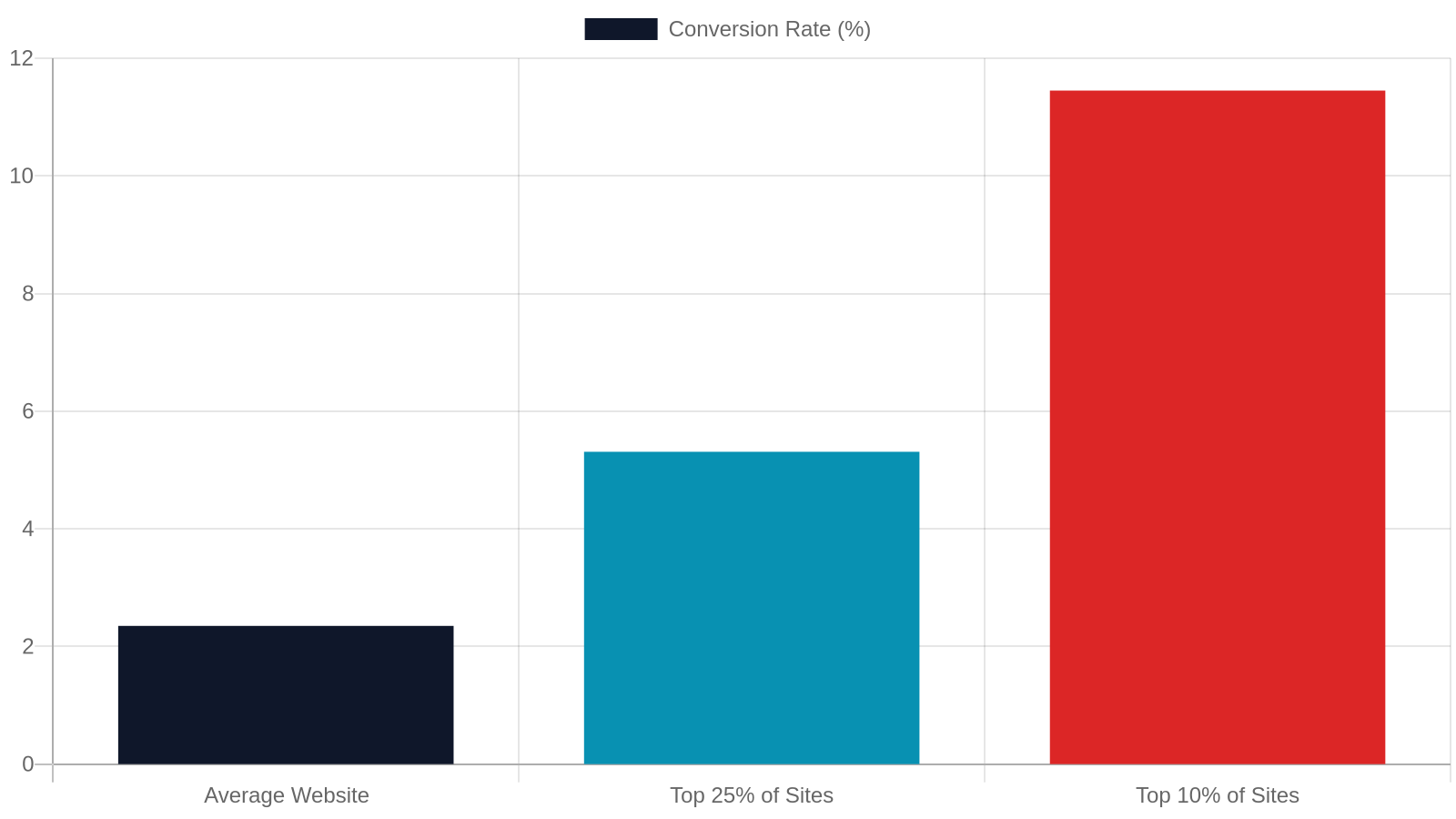
Traffic without conversion is just a vanity metric. A Nashville small business website that attracts 1,000 visitors a month but converts only 0.5% of them is generating 5 leads. The same traffic with a 5% conversion rate generates 50 leads — a 10× difference with zero additional ad spend. Your web designer should be as focused on what happens after a visitor lands as they are on how the site looks.
What CRO Means for a Small Business Website
Conversion Rate Optimization (CRO) is the practice of designing your website so that a higher percentage of visitors take a desired action — calling you, filling out a form, booking an appointment, or making a purchase. The average website conversion rate across industries is 2.35% (WordStream, 2023), but top-performing small business sites achieve 5–11%. That gap is almost entirely explained by intentional design choices.
CRO elements every Nashville small business site needs:
- A clear, benefit-driven headline above the fold
- A single, prominent call-to-action (CTA) on every page
- Trust signals: reviews, certifications, years in business, local awards
- Fast, easy-to-complete contact forms (3 fields max for top-of-funnel)
- Click-to-call phone number visible on mobile at all times
The Nashville Trust Factor
Nashville consumers are savvy. They check reviews, look for local credibility signals, and often choose the business that feels most established and trustworthy — not necessarily the cheapest. Your website should prominently feature:
- Google review count and average star rating
- Real photos of your team, location, or work (not stock photos)
- Specific service areas (Nashville, Franklin, Brentwood, Murfreesboro, etc.)
- A physical address or service area map
- Any local press mentions, chamber memberships, or community involvement
These elements don’t just build trust with humans — they also signal authority to Google’s local ranking algorithm and to AI models evaluating your business’s credibility.
9. Questions to Ask Before You Sign Any Web Design Contract
The web design industry has a low barrier to entry — anyone with a laptop and a Fiverr account can call themselves a web designer. Protecting your investment means asking the right questions before you commit. The best agencies welcome scrutiny; they know their process, their results, and their value. Use this list to quickly separate experienced professionals from hobbyists charging professional rates.
Vetting Questions That Separate Pros from Pretenders
Before you hand over a deposit, ask every candidate these questions and evaluate the quality of their answers:
- “Can I see examples of sites you’ve built for businesses similar to mine?” — Look at the portfolio and check those sites on mobile, check their Google PageSpeed score, and look them up in Google Search.
- “Who owns the website and domain after launch?” — You should own both. If the answer is unclear, walk away.
- “How do you handle SEO during the build?” — Expect a specific answer about meta tags, schema, URL structure, and Core Web Vitals — not “we use Yoast.”
- “What does ongoing support look like and what does it cost?” — A site without maintenance is a security liability within 6 months.
- “Have you worked with businesses in Nashville or Middle Tennessee before?” — Local market knowledge matters for local SEO strategy.
Red Flags to Watch For
Protect your investment by recognizing these warning signs early:
- No written contract or scope of work document
- Promises of “#1 on Google” within 30 days
- No discovery process — they start designing before asking about your goals
- They retain ownership of your domain or hosting account
- No clear revision policy or change-order process
- They can’t explain what AEO, schema markup, or Core Web Vitals are
- Portfolio links are broken or the sites they built don’t rank for anything
A legitimate agency will welcome these questions. Hesitation or vague answers are your signal to keep shopping.
10. Ongoing Maintenance, Analytics, and Long-Term Growth

The businesses that get the best long-term ROI from their websites treat them as living assets — not set-it-and-forget-it brochures. Regular updates, performance monitoring, and data-driven content improvements compound over time, turning a good website into a dominant local search presence. This is where working with a full-service agency (rather than a one-time freelancer) pays the biggest dividends.
Why Launch Day Is the Beginning, Not the End
A website is not a one-time purchase — it’s an ongoing asset that requires care to stay secure, fast, and competitive. WordPress releases major updates multiple times per year. Plugins require regular updates to patch security vulnerabilities. Hosting environments change. Google’s algorithm updates (there were 4,725 ranking changes in 2022 alone, per Google’s own transparency report) can shift your rankings without warning if your site isn’t being monitored and maintained.
A professional maintenance plan should include: weekly plugin and core updates, daily backups, uptime monitoring, monthly performance audits, and quarterly content reviews to keep your SEO fresh and accurate.
Analytics: Knowing What's Working
You can’t improve what you don’t measure. Every Nashville small business website should have Google Analytics 4 (GA4) and Google Search Console set up and verified from day one. These free tools tell you:
- Which pages drive the most traffic and leads
- Which search queries bring people to your site
- Where visitors drop off in your conversion funnel
- How your mobile vs. desktop performance compares
- Which geographic areas your traffic is coming from
Monthly reporting from your agency should translate this data into plain-English recommendations — not just raw numbers. If your designer doesn’t mention analytics setup during the project kickoff, add it to the contract explicitly.
Ready to Build a Website That Actually Grows Your Nashville Business?

You’ve now got a clear picture of what separates a website that generates real business from one that just takes up server space. The next step is finding a partner who can execute on all of it — design, SEO, AEO, mobile performance, conversion optimization, and ongoing growth. In Nashville and across Tennessee, that partner is Studio Blue Creative.
What Studio Blue Creative Brings to Nashville and West Tennessee
Studio Blue Creative is a Tennessee-based digital agency serving businesses across the Nashville metro — including Franklin, Brentwood, Murfreesboro, Hendersonville, and Mount Juliet — as well as Jackson and the broader West Tennessee region. We specialize in custom WordPress websites, SEO, AEO, and GEO strategies built specifically for small and mid-sized businesses that want to be found by both traditional search engines and AI-powered answer engines.
Our team handles everything from initial strategy and design through launch, maintenance, and ongoing optimization. We don’t hand you a template and disappear — we build long-term partnerships with Nashville businesses that want to grow. Explore our full range of digital services or run a quick website health check to see where your current site stands.
Get Your Free Estimate Today
Every project starts with a free, no-pressure consultation. We’ll review your current online presence, identify the biggest opportunities for your specific business and market, and give you a clear, itemized estimate — no vague “starting at” pricing, no hidden fees. Whether you’re launching your first website or rebuilding an underperforming one, we’ll tell you exactly what it will take and what it will cost.
Call us at 731-402-0402 or reach out online. We serve businesses throughout Nashville, Franklin, Brentwood, Murfreesboro, Hendersonville, Mount Juliet, Jackson, and all of Middle and West Tennessee. Let’s build something that works as hard as you do.
Frequently Asked Questions
How much does a web designer cost for a small business in Nashville TN?
Most Nashville small businesses spend between $2,500 and $8,000 for a professionally designed, SEO-ready website. Freelancers typically start around $1,000–$3,500, while full-service agencies with AEO and GEO capabilities range from $6,000 to $15,000+. Budget an additional $75–$300/month for ongoing maintenance and hosting.
How long does it take to build a small business website in Nashville?
A standard 5–15 page business website takes 4–10 weeks from kickoff to launch. E-commerce or custom WordPress builds typically take 8–16 weeks. The biggest variable is how quickly the client provides content — delays in copy and images are the most common reason projects run over schedule.
What is AEO and why does my Nashville business website need it?
Answer Engine Optimization (AEO) structures your website content so AI-powered tools like Google's AI Overviews, ChatGPT, and Perplexity can read and cite your business as a trusted answer. Over 40% of Google searches now trigger an AI Overview, making AEO essential for any business that wants to maintain visibility as search behavior shifts.
Should I use WordPress or a website builder like Wix or Squarespace?
For most Nashville small businesses with growth plans, WordPress is the better long-term choice. It offers full SEO control, custom plugin development, and complete data ownership. Website builders are faster to launch but have significant limitations in technical SEO, schema markup, and custom functionality — and migrating off them later is costly.
What questions should I ask a web designer before hiring them?
Ask to see their portfolio of similar businesses, confirm you'll own the domain and site after launch, ask specifically how they handle SEO during the build, and find out what ongoing maintenance costs. Any designer who can't clearly explain Core Web Vitals, schema markup, or mobile-first design practices is not the right fit for a competitive market like Nashville.
Does Studio Blue Creative serve businesses outside of Nashville?
Yes — Studio Blue Creative serves businesses throughout the Nashville metro (including Franklin, Brentwood, Murfreesboro, Hendersonville, and Mount Juliet) as well as Jackson and the broader West Tennessee region. Call 731-402-0402 for a free estimate.
Find out if ChatGPT recommends your business.
Right now, your customers are asking AI for recommendations. The AI is naming somebody. Is that name yours? Run our free AEO Scorecard — we test 3 of your real queries against ChatGPT and Claude and email you a personalized report.
Ready for a real website?
Get a tailored 3-tier proposal in under a minute — including our Launch Deal ($699), a custom build, or our SEO Growth Package. No call required.